
Skip to content
ITM University Gwalior — NAAC Grade A accreditedTechUtsav1.0
ITM University Gwalior — NAAC Grade A accredited

ITM University Gwaliorpresents

Oct 14–16, 2026

TechUtsav1.0

The official

Rulebook

Rules and regulations for 7 events, in one place.October 14–16, 2026 · ITM University, Gwalior

inside this book:

  1. CodeLockNexus Club · Oct 14
  2. Elite ArenaCode Craft Society · Oct 14 & 15
  3. Re-InnovateXCode Craft Society · Oct 15
  4. Build in the BoxIDC Club · Oct 15
  5. CyberForgeCyberShield Club · Oct 15
  6. Hacktoberfest Hack DayAI Club with MLH · Oct 16
  7. Escape RoomIDC Club · Oct 16

IdeasInnovateCollaborateCelebrate

what's inside

Contents

  1. CodeLock — The Escape ProtocolNexus Club · Wednesday, October 14, 2026 · 1:00 PM – 4:00 PM₹100 per teamCoding
  2. Elite ArenaCode Craft Society · October 14 & 15, 2026 · Oct 14: 1:00 PM – 3:00 PM · Oct 15: 10:00 AM – 4:00 PM₹50 / ₹100Gaming
  3. Re-InnovateXCode Craft Society · Thursday, October 15, 2026 · 9:00 AM – 5:00 PM₹100 per teamReverse Engineering
  4. Build in the BoxIDC Club · Thursday, October 15, 2026 · 9:30 AM – 1:30 PM₹100Coding
  5. CyberForge: Phish or ProtectCyberShield Club · Thursday, October 15, 2026 · 1:30 PM – 5:30 PM₹50 per individualCybersecurity
  6. Open Source Hack Day · HacktoberfestAI Club with MLH · Friday, October 16, 2026 · 9:00 AM – 4:00 PMFreeOpen Source
  7. 404: Escape the RoomIDC Club · Friday, October 16, 2026 · 10:00 AM – 12:00 PM₹100 per personInteractive Challenges

How to register

Hacktoberfest Hack Day registers on MLH:https://events.mlh.com/events/15429-hacktoberfest-hack-day-gwalior-x-itm-university

Every other event in this rulebook registers and pays on ITM University's Parakh page:https://parakh.itmuniversity.ac.in/pay/45f4d813-62af-4630-87af-990a2f7d6aa3

Before you read

Each rulebook is transcribed from the document issued by its organizing club. Where a rulebook and the latest poster differ, the difference is listed in a “Latest updates” box at the top of that rulebook.

Instructions announced by the organizers on the day take precedence.

TechUtsav 1.0 · October 14–16, 2026 · ITM University, Gwalior

TechUtsav 1.0 2026 · Official Rulebook

Nexus Club presents

CodeLock — The Escape Protocol

Think Smart. Solve Fast. Unlock Your Team. Win!
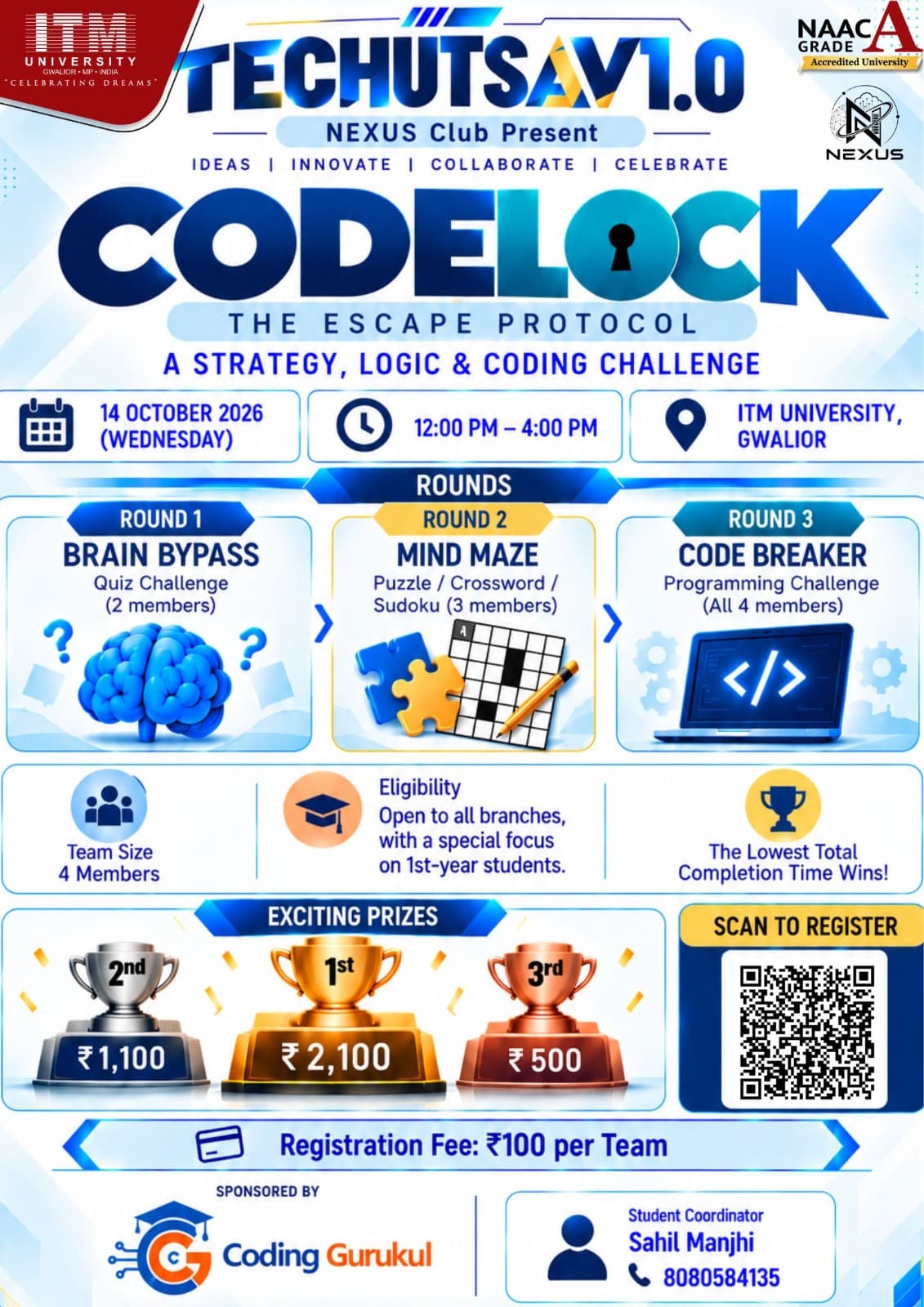
Official CodeLock poster by Nexus Club: the three rounds Brain Bypass, Mind Maze and Code Breaker, with date, eligibility, prizes, registration QR, fee of 100 rupees per team, student coordinator and sponsor Coding Gurukul.

CODELOCK — Every Second Counts.

Date
Wednesday, October 14, 2026
Time
1:00 PM – 4:00 PM
Venue
MG-502, 503 & 505, ITM University, Gwalior
Participation
Team · Exactly 4 members
Eligibility
Open to all branches, with a special focus on 1st-year students
Registration fee
₹100 per team
Student Coordinator
Sahil ManjhiContact : +91 8080584135
Faculty Coordinator
Ms. Bharti Gole
Faculty Co-Coordinator
Mr. Naveen

Rules & Regulations

1. About the Event

CODELOCK is a time-based, three-round team competition designed to test participants' technical knowledge, logical reasoning, problem-solving abilities, programming skills, teamwork, and execution under time pressure.

Teams must successfully complete each challenge to unlock the next stage. The team that completes all three rounds in the lowest total time will secure the highest rank.

2. Event Details

  • Event Date: 14 October 2026 (Wednesday).
  • Event Time: 1:00 PM–4:00 PM.
  • Venue: ITM University, Gwalior.
  • Organized By: NEXUS CLUB.
  • Team Size: 4 members per team.
  • Eligibility: Open to all branches, with a special focus on 1st-year students.
  • Registration Fee: ₹100 per team.

3. General Rules and Regulations

  1. Each team must consist of exactly four members.
  2. The event is open to all branches, with a special focus on 1st-year students.
  3. All teams will receive the same challenge in each respective round.
  4. CODELOCK follows a continuous-timer format. The timer starts at the beginning of Round 1 and continues until the team successfully completes Round 3.
  5. The clock never stops. Time spent solving challenges, transitioning between rounds, or waiting for evaluation will count toward the total completion time.
  6. Teams must successfully complete the current round according to the organizers' evaluation criteria to unlock the next round.
  7. Only the permitted number of team members may participate in each round.
  8. Team members must follow the instructions provided by the event organizers and evaluators.
  9. Mobile phones, external assistance, online resources, or other aids may be restricted or prohibited as announced by the organizers before the competition.
  10. Plagiarism, cheating, code sharing between teams, or any other form of unfair practice will not be tolerated.
  11. Participants must maintain discipline and cooperate with the organizers throughout the event.
  12. The organizers reserve the right to disqualify teams violating the rules.
  13. The organizers' decisions regarding challenge evaluation, rule interpretation, disqualification, and final results will be final.

4. Round-wise Rules

Round 1 — Brain Bypass

12
Challenge type
Quiz
Participation
2 team members
Objective
Test technical knowledge, general aptitude, and logical reasoning.

Rules

  1. Only two members from each team may participate in this round.
  2. Participants must answer the quiz questions within the instructions and time constraints specified by the organizers.
  3. Answers will be evaluated according to the criteria announced before the round.
  4. A team must meet the required qualifying criteria to complete the round.
  5. Successful completion unlocks the third team member, allowing the team to proceed to Round 2.
  6. The team timer continues running throughout the round and evaluation process.

Round 2 — Mind Maze

123
Challenge type
Puzzle / Crossword / Sudoku
Participation
3 team members
Objective
Evaluate logical thinking, analytical ability, accuracy, and collaborative problem-solving.

Rules

  1. Three team members will participate in this round, including the member unlocked after Round 1.
  2. Teams must solve the assigned puzzle or logical challenge correctly.
  3. Participants must follow the instructions and submission format provided by the organizers.
  4. The challenge will be considered complete only after the solution satisfies the organizers' evaluation criteria.
  5. Successful completion unlocks the fourth team member, allowing the team to proceed to Round 3.
  6. The timer will continue running throughout the round, including during evaluation and transitions.

Round 3 — Code Breaker

1234
Challenge type
Programming
Participation
All 4 team members
Objective
Assess programming knowledge, algorithmic thinking, debugging, teamwork, and implementation skills.

Rules

  1. All four team members may participate in the final round.
  2. Teams must solve the programming problem assigned by the organizers.
  3. The submitted solution must execute successfully and satisfy the specified requirements and test cases.
  4. Teams must use only the programming languages, software, and resources permitted by the organizers.
  5. Sharing code or receiving unauthorized external assistance is strictly prohibited.
  6. The challenge will be considered complete only after the solution meets the organizers' evaluation criteria.
  7. The team's total completion time will be recorded once successful completion is confirmed.

5. Winning Criteria

The lowest total completion time wins!

  1. Teams must successfully complete all three rounds to qualify for the final rankings.
  2. The timer begins when Round 1 starts and stops only when the team's successful completion of Round 3 is officially confirmed.
  3. The total completion time includes the time spent on all challenges, evaluation, and transitions between rounds.
  4. Teams will be ranked in ascending order of their total completion time.
  5. The team with the lowest verified completion time will be declared the winner, followed by the teams with the next-lowest times.
  6. Incomplete or unsuccessful challenges do not count as completed rounds. Teams must satisfy the qualifying criteria before proceeding.
  7. In case of a tie, the organizers will apply a tie-breaking method announced before the competition.
  8. Teams that fail to complete all three rounds within the event's permitted duration will not qualify for the completed-team rankings, unless the organizers announce otherwise.

6. Prize Pool

  • First Prize: ₹2,100.
  • Second Prize: ₹1,100.
  • Third Prize: ₹500.

Prizes will be awarded according to the final verified rankings announced by the organizers.

7. Code of Conduct

All participants are expected to:

  • Demonstrate sportsmanship, honesty, and professionalism.
  • Respect fellow participants, evaluators, and organizers.
  • Avoid misconduct, disruption, or attempts to manipulate the competition.
  • Follow all instructions related to challenge submission, evaluation, and event logistics.
  • Accept the final results and decisions made by the organizers.

Any violation may result in penalties or disqualification at the organizers' discretion.

8. Organizers' Authority

NEXUS CLUB reserves the right to clarify or modify event procedures when necessary, resolve unforeseen situations, verify challenge submissions, and take appropriate action in cases of rule violations.

Any changes to the competition rules will be communicated to participants by the organizers. All final decisions concerning evaluation and rankings will rest with the organizing committee.

9. Contact Information

  • Organized by: NEXUS CLUB.
  • Institution: ITM University, Gwalior.
  • Student Coordinator: Sahil Manjhi.
  • Contact Number: +91 8080584135.

THINK SMART. SOLVE FAST. UNLOCK YOUR TEAM. WIN!NEXUS CLUB | TECHUTSAV 1.0CODELOCK — Every Second Counts.
TechUtsav 1.0 2026 · ITM University Gwalior

Register: https://parakh.itmuniversity.ac.in/pay/45f4d813-62af-4630-87af-990a2f7d6aa3

Source: CODELOCK official rulebook (Nexus Club).

TechUtsav 1.0 2026 · Official Rulebook

Code Craft Society presents

Elite Arena

E-Sport Tournament · BGMI • Free Fire • Chess

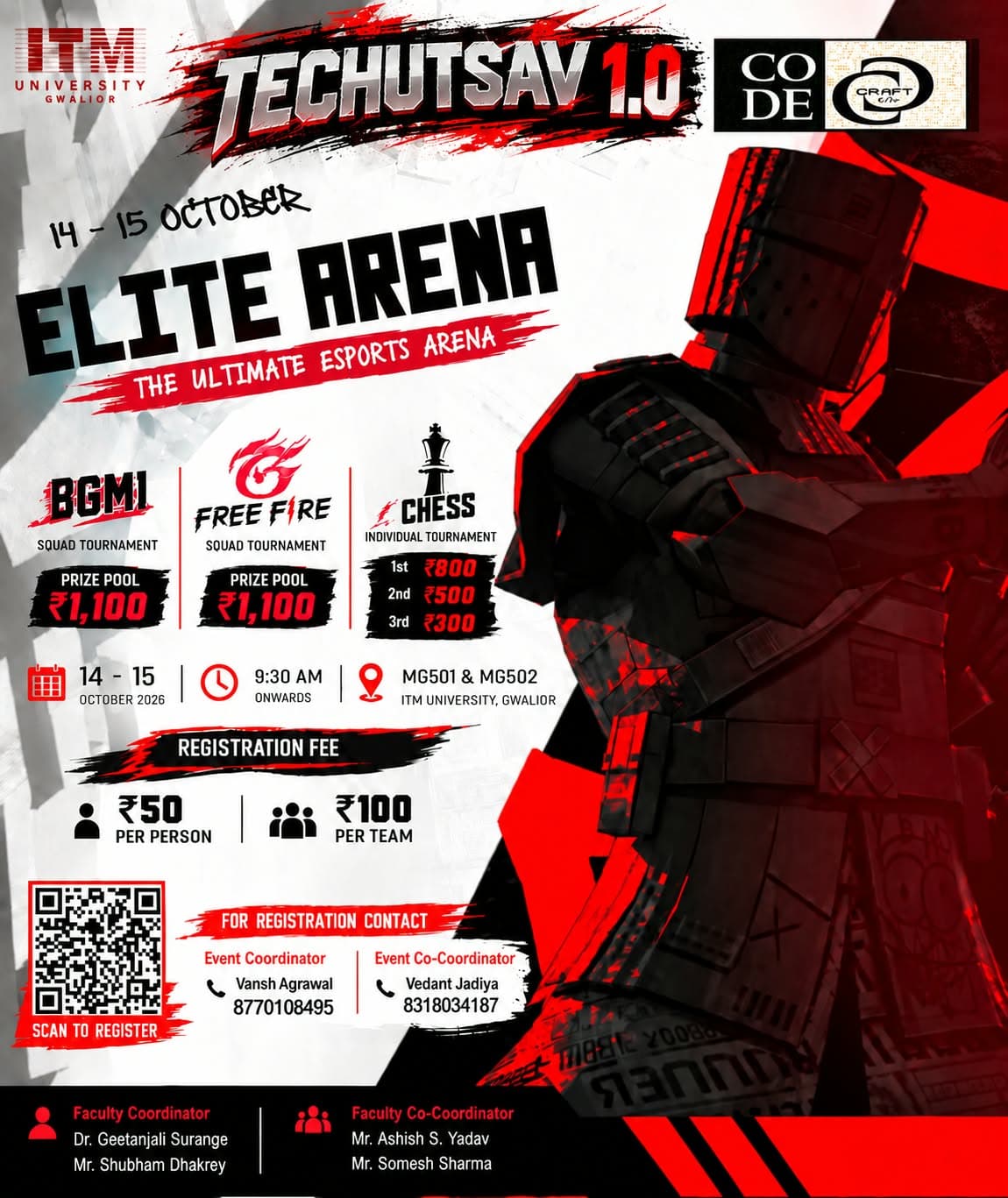
Official Elite Arena poster by Code Craft: an armoured figure in red and black with BGMI, Free Fire and Chess prize details.

Mode: BGMI & Free Fire — Hybrid · Chess — Offline

Date
October 14 & 15, 2026
Time
Oct 14: 1:00 PM – 3:00 PM · Oct 15: 10:00 AM – 4:00 PM
Venue
MGBGF Lab, ITM University, Gwalior
Participation
Squad (BGMI, Free Fire) · Individual (Chess) · Squad of 4 for BGMI and Free Fire · Solo for Chess
Registration fee
₹50 / ₹100
Event Coordinator
Vansh AgrawalContact : 8770108495
Event Co-Coordinator
Vedant JadiyaContact : 8318034187
Faculty Coordinator
Dr. Geetanjali Surange
Faculty Coordinator
Mr. Shubham Dhakarey
Faculty Co-Coordinator
Mr. Ashish S. Yadav
Faculty Co-Coordinator
Mr. Somesh Sharma

Rules & Regulations

1. General Rules

  • Duration: The tournament is conducted over October 14-15, 2026. Day 1 (Oct 14): Free Fire + Chess qualifiers. Day 2 (Oct 15): BGMI + Chess knockout.
  • Reporting: All participants must report at the venue at least 30 minutes before their match. Joining after the given time results in automatic elimination.
  • Eligibility: Registered students with a valid ID card of any university.
  • Equipment: Players must bring their own setup and have prior accounts (BGMI / Free Fire).
  • Fair Play: No cheating or bug exploitation.
  • Authority: Organizers' decisions are final and binding.

2. Registration Process

  • Registration fees: ₹50 per person and ₹100 per team.
  • Complete the registration form on Unstop and select the game(s) you wish to play.
  • Form teams as per game requirements (Solo / Squad).
  • Confirmation is sent via email.
  • Check in at the tournament desk 30 minutes before your first match with a valid college ID and registration confirmation.
  • Late registrations will not be accepted under any circumstances.

3. Games & Formats

  • BGMI (Hybrid): Squad (4 players) only. Maps: Erangel, Sanhok, Miramar, Vikendi. Classic Battle Royale.
  • Free Fire (Hybrid): Solo or Squad (4 players). Maps: Kalahari, Bermuda, Purgatory, Solara. Classic Battle Royale / Clash Squad.
  • Chess (Offline): Solo (1v1). Swiss-system qualifiers followed by knockout final. Rapid: 10 min per player + 5 sec increment per move. FIDE standard rules, played over the board at the venue.
  • Structure: Qualifiers → Semi-Finals → Grand Finals. Single elimination for Chess; multi-match format for BR games.

4. BGMI / Free Fire Rules

  • Scoring: 2 points per kill + 5 points Booyah / Chicken Dinner bonus. Highest total points wins the map.
  • Duration: BGMI — 1 hour per match; Free Fire — 20 minutes per match.
  • Qualifiers: 4 Battle Royale matches, one on each map. The top-scoring team of each match wins that map and advances.
  • Free Fire Finals: The 4 qualifying teams play Clash Squad semifinals in pairs; the two winners meet in the final.
  • BGMI Finals: The final match is BR (Vikendi).
  • Tie-breaker: Total kills, then earliest Booyah / Chicken Dinner.

5. Chess Rules

  • Scoring: Win = 1, Draw = 0.5, Loss = 0.
  • Touch-Move: A touched piece must be moved if a legal move is available.
  • Illegal Move: First illegal move — time penalty; second — loss of the game.
  • Draw Offers: May be offered after making a move; the opponent may accept or continue.
  • Tie-breaker: Sonneborn-Berger score, then result of direct encounter.
  • Fair Play: Engines, external assistance or electronic devices during a match are strictly prohibited.
  • Arbiter: The tournament arbiter's decision is final and binding in disputes.

6. Team Composition

Solo: register before the tournament; own account and setup ready; may play multiple game modes; no teaming.

Squad: each team has a leader who registers the team; no person can join more than one team; every player needs their own account and device; no cross-team play; no team changes once registered.

7. Technical Requirements

  • Provided: High-speed internet (min. 100 Mbps); streaming setup for featured matches.
  • Bring: Laptop + mobile (mobile for BGMI / Free Fire if preferred over emulator), power banks / chargers, optional mobile hotspot backup, student ID and registration confirmation.
  • Network: Stable connection; ping below 100 ms. Organizers provide technical support for connectivity issues.

8. Code of Conduct

  • Maintain respectful, professional behavior; no harassment, abusive language or toxic behavior.
  • Follow all instructions given by organizers.
  • No unauthorized substances or betting of any kind.

9. Judging Criteria

Points (placement / round wins) and kills. Final standings are based on a combination of points and kills; ties are decided by position in matches.

10. Prize Distribution

Total Prize Pool: To be announced (subject to availability of funds).

PositionBGMIChessFree Fire
1st₹1100₹800₹1100
2nd—₹500—
3rd—₹300—
  • Certificates for all winners and participants; social media recognition; feature in highlight videos; priority registration for future tournaments.
  • Winners must present valid ID. Cash prizes via UPI / bank transfer; physical prizes collected at the venue. Unclaimed prizes are forfeited after 30 days.

11. Disqualification

  • Failing to report on time.
  • Hacks, cheats or unauthorized software; exploiting bugs.
  • Violating the code of conduct; disrespecting players or authorities.
  • Failing to follow instructions, unfair play or match manipulation.

12. Match Details

BGMI / Free Fire (Hybrid)

  • Free Fire — Day 1 only; BGMI — Day 2 only. Each game is completed fully on its own day; no Free Fire or BGMI team carries over to the next day.
  • Phase 1: 4 Battle Royale qualifier matches, one per map. The top team of each map qualifies (4 qualifying teams overall).
  • Phase 2: Free Fire — Clash Squad semifinals and final; BGMI — final match on Vikendi. The winner is crowned champion.
  • Players join the allotted Discord voice channels during matches for continuous monitoring. Qualified teams are informed via Discord.

Chess (Offline)

  • Day 1 — Phase 1: Qualifier Rounds 1 & 2 (Swiss pairing, similar scores paired). The top 4 players by points qualify for Day 2. Ties are broken by Sonneborn-Berger score, then direct encounter.
  • Day 2 — Phase 2: Round 3 knockout among the 4 qualified players — Semi-Finals (1st vs 4th, 2nd vs 3rd), 3rd-place match and Final. The Final winner is 1st place.
  • Qualified players are announced at Day 1 results and must report by 10:00 AM on Day 2; no-show means forfeit. Non-qualified players are out after Day 1.
  • All chess rounds are played offline at the venue.

Day-wise Qualification

GameDay 1 (Oct 14)Day 2 (Oct 15)Qualifies for Day 2
Free FireQualifiers + Clash Squad Semis & Final—None (completed on Day 1)
ChessSwiss Rounds 1 & 2Semis, 3rd place & FinalTop 4 players by points
BGMI—Qualifiers + Final (Vikendi)Fresh start on Day 2

Note: Any changes in timing and rounds can occur according to the number of participants and registrations.

Workflow

Day 1 — Free Fire & Chess

TimeActivity
14:00 – 14:10Tournament Briefing & Player Set-up
14:10 – 14:30FF BR Qualifier 1 (Kalahari)
14:10 – 14:40Chess Qualifier Round 1 (Swiss, offline) *
14:35 – 14:55FF BR Qualifier 2 (Bermuda)
14:45 – 15:15Chess Qualifier Round 2 (Swiss, offline) *
15:00 – 15:20FF BR Qualifier 3 (Purgatory)
15:25 – 15:45FF BR Qualifier 4 (Solara)
15:50 – 16:05FF Clash Squad — Semi-Final 1
16:10 – 16:25FF Clash Squad — Semi-Final 2
16:30 – 16:50FF Clash Squad — Final
16:50 – 17:00Day 1 Results & Announcements (Top 4 Chess qualifiers for Day 2)

Day 2 — BGMI & Chess

TimeActivity
10:00 – 10:30Player Reporting & Set-up (Chess top 4 must report)
10:30 – 11:00Chess Semi-Finals (Knockout, offline) *
10:30 – 11:30BGMI BR Qualifier 1 (Erangel)
11:00 – 11:30Chess 3rd-Place Match & Final (offline) *
11:40 – 12:40BGMI BR Qualifier 2 (Sanhok)
12:50 – 13:50BGMI BR Qualifier 3 (Miramar)
14:00 – 15:00BGMI Final (Vikendi)
15:15 – 16:00Day 2 Results & Announcements

Day 3

TimeActivity
10:00Prize Distribution (30 min)

* Runs in parallel with Free Fire (Day 1) / BGMI (Day 2). Timings may change as per participation.

TechUtsav 1.0 2026 · ITM University Gwalior

Register: https://parakh.itmuniversity.ac.in/pay/45f4d813-62af-4630-87af-990a2f7d6aa3

Source: Elite Arena Rules Updated (Code Craft Society).

TechUtsav 1.0 2026 · Official Rulebook

Code Craft Society presents

Re-InnovateX

Reverse Engineering Hackathon · Workflow Guide & Rulebook

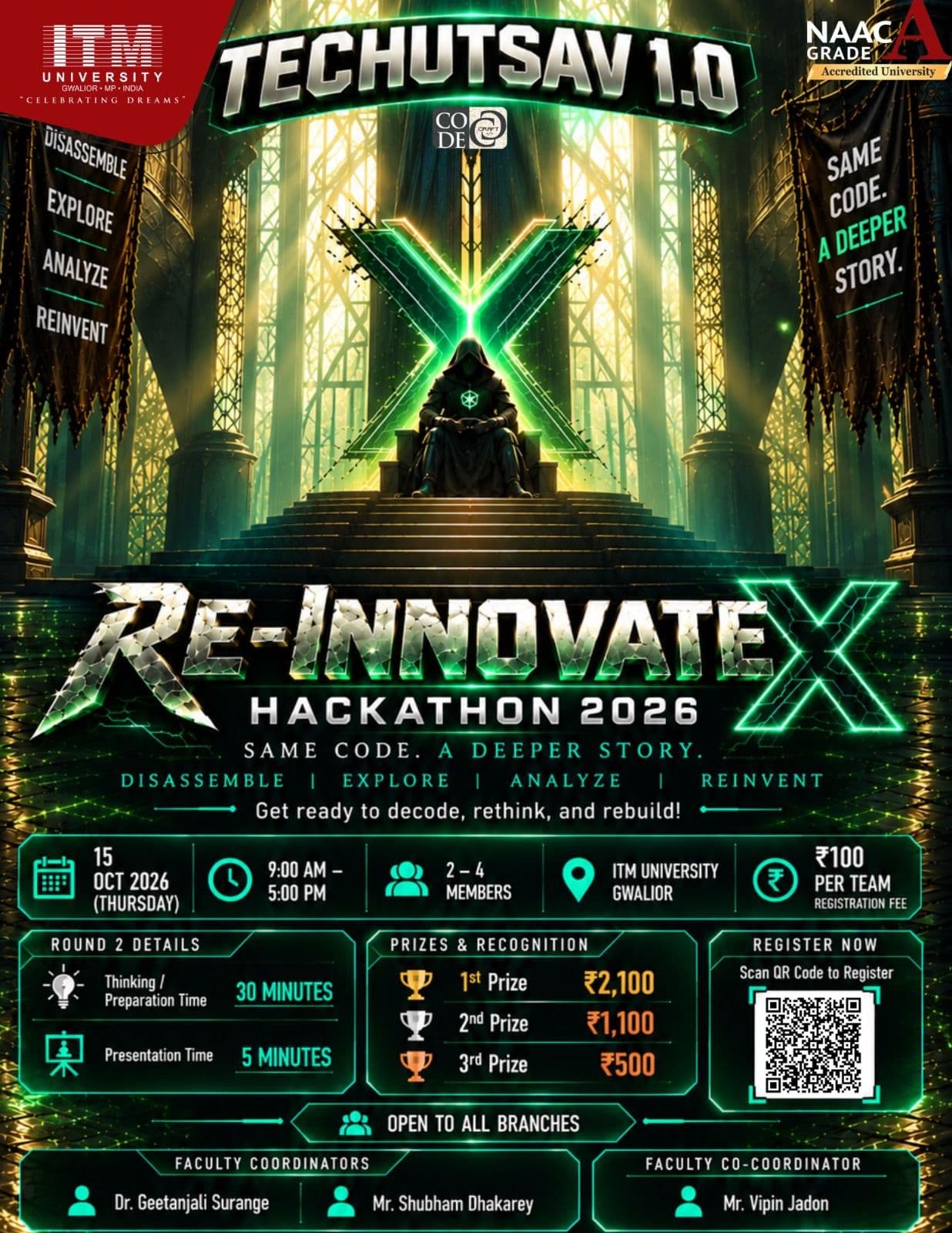
Official Re-InnovateX Hackathon 2026 poster by Code Craft: a hooded figure on a throne beneath a glowing green X, with date, team size, fee, Round 2 details, prizes, registration QR and faculty coordinators.

Understand → Deconstruct → Reconstruct → Innovate → Demo

Date
Thursday, October 15, 2026
Time
9:00 AM – 5:00 PM
Venue
MG-505, ITM University, Gwalior
Participation
Team · Open to all branches · 2–4 members
Registration fee
₹100 per team
Faculty Coordinator
Dr. Geetanjali Surange
Faculty Coordinator
Mr. Shubham Dhakarey
Faculty Co-Coordinator
Mr. Vipin Jadon
Student Coordinator
Garvit MishraContact : +91 75809 89439
Student Co-Coordinator
Ujjwal GuptaContact : +91 91110 16526

Rules & Regulations

Part 1 · Hackathon Workflow Guide — who does what, and when

1. The event in one page

Re-InnovateX is a team event (2–4 members) in which teams receive a broken, incomplete or partially working system without its source code. They must follow one loop:

Understand → Deconstruct → Reconstruct → Innovate → Demo

ItemDetail
Day 1 — Challenge15 October 2026, 9:00 AM – 5:00 PM (8 hours, offline)
Day 2 — Presentations & Evaluation16 October 2026 (about 1 hour presentations + 1 hour evaluation and results)
Registration deadline13 October 2026
Entry fee₹100 per team
Prize pool₹3,700 (1st ₹2,100 • 2nd ₹1,100 • 3rd ₹500)
OrganizerCode Craft Society, with faculty coordinators Dr. Geetanjali Surange, Mr. Shubham Dhakarey and co-coordinator Mr. Vipin Jadon
Student coordinatorsGarvit Mishra (+91 75809 89439), Ujjwal Gupta (+91 91110 16526)

Day 1 phase timeline

TimePhaseMain goal
9:00 – 11:00 AMPhase 1 · Understand & ObserveLearn what the system does and what is broken
11:00 AM – 1:30 PMPhase 2 · DeconstructionWork out components, workflow, data flow, failure points
1:30 – 5:00 PMPhase 3 · Reconstruction & InnovationRebuild the baseline, then improve it; prepare documentation and demo

How the three roles fit together

StageOrganizersParticipantsEvaluators
Before the eventDesign challenge, set up environment, open registration, brief judgesForm team, register, pay, prepare tools and backupsAgree on rubric, study the challenge answer key
Day 1Brief, release package, keep order, support, monitor, collect submissionsObserve → deconstruct → reconstruct → innovate, with notes and backupsOptionally check progress; may run hidden tests on submissions
Day 2Run schedule, arrange demos, keep timePresent, demo, answer questionsScore, question, apply tie-breaks
AfterAnnounce results, award prizes, collect feedbackReceive feedback, certificates and prizesGive feedback, hand in final scores

2. The organizer's view

Organizers own the fairness, the environment and the logistics. Their job is to make sure every team gets the same challenge, the same rules, and a working place to compete.

2.1 Before the event

  1. Open registration. Publish the official form and the rulebook. Registration closes on 13 October. A team is registered only after the form is done and the fee is paid. Every member must be on the form.
  2. Design the challenge package. Prepare a broken, incomplete or malfunctioning system without original source code. Prepare the participant kit (the system plus whatever records or logs teams may use) and the organizer kit (the answer key with the true rules, a hidden test set, a scoring script, a reference solution).
  3. Decide the challenge-specific rules and announce them at the start: permitted tools, whether AI and the internet are allowed, submission format, and any restrictions. These override the general rulebook.
  4. Prepare a controlled environment. Machines or labs isolated from college infrastructure, with backups and a technical-support contact for downtime.
  5. Brief the judges. Share the rubric, the demo structure, the penalty framework and the answer key. Decide who runs the hidden test.
  6. Confirm logistics. Venue, power, internet policy, ID checks, attendance sheets, timers, printed booklets, certificates and prize money.

2.2 Event day (15 October)

TimeOrganizer action
Before 9:00Check attendance and IDs, seat teams, confirm environments work
9:00Short briefing: rules, restrictions, deliverables, judging. Release the challenge package
During Phase 1Watch for questions on permitted tools; enforce observe before assuming
11:00Announce the move to Phase 2; make any checkpoint announcements
1:30Announce the move to Phase 3; remind teams to establish the baseline before innovating
Final hourRemind about the submission deadline; walk through the submission package
5:00Close submissions; confirm each team has handed in its package; secure copies

Continuous duties on Day 1

  • Answer clarification questions publicly so every team hears the same answer.
  • Apply the downtime policy: if an environment breaks, teams report it, organizers restore or replace the resources, and for major issues announce a fair adjustment.
  • Run reasonable monitoring for integrity. Teams may later be asked to explain their reasoning.
  • Handle violations using the framework: minor (warning), serious (score penalty or rejection), critical (immediate disqualification).
  • If a team reports an unintended access path, thank them and fix it. The rule is that teams stop and report rather than exploit.

2.3 Day 2 (16 October)

  1. Publish the presentation order and time slots.
  2. Set up the demo area (projector, machine, backup laptop).
  3. Run presentations on time (about 1 hour), then give judges evaluation time (about 1 hour).
  4. Collect scoresheets, check totals, apply any announced tie-break, and confirm the results with faculty coordinators.
  5. Announce winners and award prizes and certificates.

2.4 After the event

  • Share feedback with teams, archive submissions and scoresheets, and record lessons for next year.
  • Update the challenge: change seeds, rules and data so a repeat run is not leaked.

3. The participant's view

Participants own the thinking, the rebuild and the explanation. The rulebook's core advice: do not jump directly into coding.

3.1 Before 15 October

  • Form a team of 2–4 and register before 13 October; save the confirmation and the coordinator numbers.
  • Pay the ₹100 team fee as instructed.
  • Agree on roles (they are flexible): System Observer / Documentation Lead, Technical Analyst, Developer / Reconstruction Lead, Testing / Innovation Lead.
  • Prepare tools you are allowed to use, set up shared storage and a backup routine, and be ready to work offline for 8 hours.

3.2 Day 1 — what to do in each phase

PhaseWhat to doWhat to produce
1. Understand & Observe (9:00–11:00)Run and interact with the system. Record inputs, outputs, screens, errors and files. Separate normal from broken behaviour. List visible modules. Form first hypothesesAn observation log and a behaviour/workflow map: a clear idea of what the system is for and an initial problem statement
2. Deconstruction (11:00–1:30)Inspect exposed files and config. Trace workflows and data flow. Test inputs and edge cases. Compare expected with observed behaviour. Map components, dependencies and failure pointsA reasoned model of how the system works, with each claim backed by evidence; facts clearly separated from assumptions
3. Reconstruction & Innovation (1:30–5:00)Rebuild the baseline first. Test against what you observed. Back up working versions. Only then add a meaningful improvement. Write the documentation and the demo guideA working or substantially rebuilt system, an innovation summary, documentation and a tested demo

Habits that win

  • Keep a running log from minute one; do not try to recreate the story at the end.
  • Every rule you claim should have at least one piece of evidence.
  • Do not claim a feature you cannot demonstrate. Say honestly what does not work.
  • Test normal inputs and strange ones, and make sure the innovation does not break the baseline.
  • Stay inside the challenge environment. If you find a way out or a way in that was not intended, stop and tell an organizer.

3.3 Submission (end of Day 1)

  1. The reconstructed system, plus the repository or package in the format announced.
  2. Technical documentation: System Understanding, Failure Analysis, Deconstruction, Reconstruction, Testing, Innovation, Limitations, Demo Guide.
  3. A short innovation summary, clearly separate from the baseline.
  4. Final check using the submission checklist, then submit before the deadline and keep a backup.

3.4 Day 2 — presentation

Follow the recommended structure: what we observed → the key failure → our analysis and reconstruction → demo of the rebuilt functionality → testing and edge cases → innovation → limitations. Every member must be able to answer questions about the whole solution, not only their own part.

3.5 Rules to remember

  • No original source code through unauthorized means, no leaked solutions, no outside help beyond what is allowed.
  • AI tools and the internet only if the challenge instructions permit them.
  • Do not touch other teams' work, college systems, or external sites.

4. The evaluator's view

Evaluators own fair, evidence-based scoring. The key idea is that they judge understanding and reasoning, not only whether the screen looks right.

4.1 Before the event

  • Read the rulebook, the challenge and the answer key so that “correct behaviour” is clear.
  • Agree on how to score each criterion and how to treat partial solutions.
  • Decide how the hidden test will be run and who runs it.

4.2 Scoring rubric

CriterionWeightWhat to look for
Understanding20%Accurate observations of inputs, outputs and expected behaviour; clarity on what the system is for
Technical Analysis20%Depth and correctness of deconstruction: components, workflow, dependencies, data flow, failure points; evidence-backed
Reconstruction30%Correct, stable, tested rebuild of the required behaviour; verified during the demo
Innovation20%Meaningful, demonstrable improvements beyond the baseline (features, performance, UX, accessibility, security, AI or automation, validation)
Documentation & Demo10%Clear reasoning, test evidence, reproducible demo steps, quality of explanation

4.3 The evaluation flow

  1. Baseline check. Verify the required functionality in the demo. If a hidden test batch is used, run it and record the result.
  2. Evidence check. Does the team's reconstruction follow from its observations? Were rules inferred from evidence, or guessed?
  3. Questions. Ask technical questions of different members. A team that cannot explain its own solution should lose marks, whatever the demo looked like.
  4. Innovation, scored separately. Judge it on its own, after confirming that the baseline still works.
  5. Documentation. Check that observations, hypotheses, implementation and innovation are kept apart.
  6. Consistency. Apply the same criteria to every team.

4.4 Red flags to watch for

  • Claims that cannot be demonstrated, or features that fail live.
  • Work that looks copied, or a solution only one member understands.
  • Signs of prohibited practices: obtaining source code, using leaked solutions, outside collaboration, tampering with monitoring.

Suspected violations follow the penalty framework: minor (warning or small score impact), serious (score penalty, rejection or disqualification), critical (immediate disqualification and escalation).

4.5 Ties and final decision

If scores tie, the sequence is: reconstruction functionality → technical analysis → innovation → documentation and demo quality, unless a different tie-break is announced before judging. The judges' and organizers' decision is final.

5. The whole event as one flow

StepWho leadsOutput
1. RegistrationOrganizers + participantsVerified team list and fees
2. Challenge preparedOrganizersParticipant kit, organizer kit, hidden test, rubric
3. Judge briefingOrganizers + evaluatorsShared understanding of the answer key and scoring
4. Briefing and release (9:00)OrganizersRules and challenge package in teams' hands
5. Phase 1: UnderstandParticipantsObservation log, behaviour map
6. Phase 2: DeconstructParticipantsEvidence-based model of the system
7. Phase 3: Reconstruct and innovateParticipantsWorking rebuild, innovation, documentation
8. Submission (5:00)Participants → OrganizersSecured packages
9. Hidden test (optional)EvaluatorsObjective baseline score
10. PresentationsParticipants + evaluatorsDemos and question-and-answer
11. Scoring and tie-breaksEvaluators + organizersFinal ranking
12. Results and prizesOrganizersWinners, certificates, feedback

Part 2 · Participant Booklet — the detailed rules

1. Event at a Glance

The system is broken. The ₹3,700 prize is waiting. Can your team fix it?

ItemDetails
EventRe-InnovateX — Reverse Engineering Hackathon
OrganizerCode Craft Society
TaglineBreak • Analyze • Rebuild • Innovate
Day 1 — Challenge15 October 2026, 9:00 AM – 5:00 PM (8 hours, offline)
Day 2 — Presentations & Evaluation16 October 2026
Team size2–4 members
Entry fee₹100 per team (per team, not per participant)
Prize pool₹3,700
ModeOffline
Registration deadline13 October 2026

Read first: Challenge-specific instructions announced on the event day (permitted tools, AI and internet use, submission format, timings) take precedence over this booklet wherever they differ.

2. Event Overview

2.1 Concept

Re-InnovateX is a reverse engineering hackathon. Teams are given a broken, incomplete, malfunctioning, or partially functional system, software, application, or program package — not its original source code. Teams first understand the observable behaviour, then deconstruct how it works, then reconstruct, repair, or reproduce the required functionality, and finally introduce meaningful improvements beyond the reconstructed baseline. The event tests technical observation, logical reasoning, debugging, system analysis, experimentation, documentation, implementation, and the ability to work under a fixed deadline.

2.2 Core principle

Given System → Understand → Deconstruct → Reconstruct → Innovate → Demo. Do not jump directly into coding. Teams must show that their implementation is based on systematic observation and technical analysis of the provided challenge.

2.3 Reverse Engineering Hackathon vs Normal Hackathon

AspectNormal HackathonReverse Engineering Hackathon
Starting pointProblem statement or themeBroken / incomplete / malfunctioning system
First taskIdeation and solution planningObservation and behaviour discovery
Core processIdeate → Develop → Test → DemoUnderstand → Deconstruct → Reconstruct → Innovate → Demo
Technical focusBuild a solutionInfer, analyse, repair/rebuild, then improve
DebuggingMostly refinement/testingCentral to system analysis and reconstruction
InnovationUsually starts with the proposed solutionComes after reconstruction and extends the baseline
OutcomeWorking prototype/solutionReconstructed system + documentation + innovation

2.4 Objectives

  • Understand a system from its observable behaviour.
  • Identify components, dependencies, workflows, data flow, and failure points.
  • Develop evidence-backed hypotheses about how the system works.
  • Reconstruct or repair the required functionality, then improve it meaningfully.
  • Demonstrate a working result and explain the reasoning behind it.
  • Document the reverse-engineering process clearly enough for judges to evaluate it.
  • Build teamwork, task allocation, and ethical reverse-engineering practice under time pressure.

3. Schedule

Day 1 — 15 October 2026 · 8-Hour Challenge

TimePhasePrimary activities
9:00 AM – 11:00 AMPhase 1 · Understand & ObserveInteract with the system, map behaviour, record inputs/outputs, identify issues and document them.
11:00 AM – 1:30 PMPhase 2 · DeconstructionAnalyse components, workflow, dependencies, data flow, and failure points.
1:30 PM – 5:00 PMPhase 3 · Reconstruction & InnovationImplementation, integration, debugging, testing, and meaningful innovation; prepare documentation and demo.

Day 2 — 16 October 2026 · Presentations & Evaluation

DurationStageActivities
1 hourPresentationsTeam presentations, demonstrations, and judge questions.
1 hourEvaluation & ResultsScoring, evaluation, feedback, and final results.

The detailed presentation sequence and reporting instructions will be communicated by the organizers.

Phase transition rules

  • Teams must follow the official phase timings.
  • Work may continue only within the permissions and instructions communicated by the organizers.
  • Phase 1 is primarily for observation; Phase 2 for technical deconstruction; Phase 3 for reconstruction, innovation, and final preparation.
  • Organizers may announce operational instructions or checkpoints during the event.

Suggested time management

  • Maintain an observation log from the very beginning.
  • Do not spend excessive time on internal details unnecessary for the required behaviour.
  • Create a minimum viable reconstructed baseline before major innovation work.
  • Reserve time for testing and documentation; keep backups at reasonable checkpoints.
  • Do not leave packaging until the final minutes.

4. Registration & Participation

4.1 Registration

The last date to register is 13 October 2026. Registration is complete only after the required registration process and fee payment are completed. Payment instructions and verification requirements will be communicated through the official registration process or by the organizers.

4.2 Team composition

  • Each team must have 2 to 4 members; every member must be registered through the official process.
  • Participants are responsible for accurate team details at registration.
  • Team changes after registration require organizer approval.
  • Providing false registration or team information where it materially affects eligibility is grounds for disqualification.

4.3 Entry fee

₹100 per team, charged for the complete team irrespective of whether it has 2, 3, or 4 members.

4.4 Prizes

PositionPrize
1st Prize₹2,100
2nd Prize₹1,100
3rd Prize₹500
Total prize pool₹3,700

The top three teams receive the cash prizes above. Organizers may also provide certificates, recognition, or other rewards as announced separately.

4.5 Attendance

  • Registered members must report according to event instructions and carry any identification or materials requested.
  • Late arrival, absence, or early departure may affect a team’s ability to complete the challenge; organizers make the final decision.
  • Be ready to work offline for the full 8-hour challenge.

4.6 Team responsibility

Each team is responsible for its own work, files, documentation, backups, and submission. Do not rely on a single device or storage location.

4.7 Team roles (suggested, flexible)

RoleResponsibility
System Observer / Documentation LeadRecords behaviour, inputs, outputs, errors, and hypotheses.
Technical AnalystStudies components, dependencies, workflow, data flow, and failure points.
Developer / Reconstruction LeadImplements or repairs the required functionality.
Testing / Innovation LeadValidates behaviour, tests edge cases, and develops improvements.

Smaller teams may combine roles. Every member should understand enough of the final work to explain it during evaluation.

5. The Challenge Package

5.1 What may be provided

  • A broken or incomplete application, or a partially functional software package.
  • A malfunctioning module or workflow; missing, incomplete, or unclear components.
  • Observable inputs, outputs, files, interfaces, logs, or errors; data and configuration.
  • Challenge-specific instructions and technical restrictions.
  • Only the information and access explicitly provided by the organizers. The exact environment, permitted tools, and submission format may be announced at the start of the event.

5.2 What will not be provided

  • The original source code of the challenge system (unless explicitly announced).
  • A complete explanation of the internal implementation.
  • Any confidential internal material not explicitly released by the organizers.
  • Access to systems or information outside the challenge. Do not attempt to obtain source code or confidential material through unauthorized means.

5.3 Phase 1 — Understand & Observe

Objective: determine what the system does before attempting to rebuild it.

  • Run and interact with the system using permitted methods.
  • Record observable inputs, outputs, screens, responses, files, logs, and errors.
  • Identify normal versus broken behaviour; list visible modules and functional areas.
  • Form initial hypotheses from evidence; maintain an observation log.
  • Create a behaviour/workflow map.

Expected outcome: a clear functional understanding and an initial problem statement.

5.4 Phase 2 — Deconstruction

Objective: infer how the major parts interact and where failures or gaps occur.

  • Inspect files and configuration exposed by the challenge; trace workflows and data movement.
  • Test different inputs and edge cases; compare expected and observed behaviour.
  • Use permitted debugging, inspection, testing, and analysis tools.
  • Map components, dependencies, and failure points; separate observed facts from assumptions.

Expected outcome: a technically reasoned deconstruction that is a basis for reconstruction.

5.5 Phase 3 — Reconstruction & Innovation

Objective: rebuild, repair, reproduce, or implement the required functionality using the team’s own work.

  • Implement and integrate components based on documented findings.
  • Test reconstructed behaviour against observations using representative cases; fix major errors.
  • Prepare a working build or package, a clear demonstration, and the final documentation.

Expected outcome: a working or substantially reconstructed solution with an explanation of the approach and its limitations.

Baseline first: Establish the required reconstructed functionality before relying on the innovation layer.

5.6 Innovation layer

Innovation must go beyond simple reproduction and be technically meaningful and demonstrable. Examples:

  • New feature
  • Performance or efficiency improvement
  • UI/UX improvement
  • Accessibility improvement
  • Security or reliability improvement
  • Relevant AI or automation
  • Better validation, error handling, monitoring, or maintainability

Clearly distinguish reconstructed baseline functionality from your own innovation, and make sure innovation does not break the baseline.

6. Rules, Tools & Technical Boundaries

6.1 Permitted technical work

Tools that are explicitly permitted by the organizers and appropriate for inspecting, testing, debugging, analysing, and reconstructing the challenge — for example development environments, debuggers, testing utilities, file inspection tools, and logging/monitoring tools, when allowed by the challenge instructions.

6.2 Source code restriction

  • No original source code is provided unless explicitly announced; infer behaviour from the challenge package.
  • Do not obtain source code through unauthorized access, credential theft, or exploitation.

6.3 Controlled environment

  • Remain inside the challenge environment and within permissions announced by organizers.
  • Do not attack, damage, or probe unrelated systems — including college infrastructure, organizer accounts, other teams, external websites, or public services.
  • Challenge-specific restrictions are mandatory.

6.4 Ethical conduct

  • Use lawful and permitted methods only.
  • No leaked solutions, stolen credentials, or confidential information.
  • Do not damage challenge infrastructure or another team’s work; do not impersonate participants.

6.5 External assistance, AI tools & internet

  • Final work must be the team’s own work produced during the event; unauthorized collaboration with non-team members is prohibited.
  • AI tools may be used only if permitted for the specific challenge. Teams remain responsible for understanding, testing, documenting, and defending any AI-assisted work.
  • Internet and external-resource access depend on challenge-specific instructions.
  • If a tool, service, AI assistant, online resource, library, package, or collaborator is restricted, the restriction is binding. When in doubt, ask an organizer first.

6.6 General rules

  • Participants must be registered members of their declared team; teams must have 2–4 members unless organizers announce otherwise.
  • Use only permitted challenge resources and complete all submissions before the announced deadline (late submissions may be rejected or penalized).
  • The final submission must represent the team’s own work.
  • Maintain professional conduct; follow venue, lab, and institutional rules.
  • Do not interfere with another team’s work, environment, device, repository, or submission.
  • Follow instructions from organizers, judges, faculty coordinators, and authorized technical staff. Their decisions are final and binding.

7. Prohibited Activities & Penalties

7.1 Prohibited activities

  • Unauthorized access to systems, accounts, devices, networks, repositories, or services.
  • Credential theft, phishing, password attacks, or impersonation.
  • Attacking unrelated college or public infrastructure; destructive or denial-of-service activity.
  • Attempting to obtain or leak the original source code through unauthorized means.
  • Using leaked solutions, another team’s private work, or confidential organizer material; sharing private team solutions during the event.
  • Tampering with monitoring, submission, or judging infrastructure.
  • Submitting substantially copied or another team’s work as original.
  • Harassment, intimidation, abusive behaviour, or disruption.
  • Any activity expressly prohibited in challenge-specific instructions.

7.2 Grounds for disqualification

  • Violation of the no-unauthorized-source-code rule; unauthorized access to systems or data.
  • Use of leaked solutions or another team’s confidential work; substantially plagiarized or stolen work.
  • Deliberate interference with the challenge environment or other teams.
  • Violation of a challenge-specific rule; false registration or team information.

7.3 Penalty framework

CategoryExamplesPossible action
MinorProcedural non-compliance, incomplete documentation, avoidable format issue.Warning, correction request, or limited score impact.
SeriousUnauthorized collaboration, prohibited assistance, interference with another team.Score penalty, submission rejection, or disqualification depending on severity.
CriticalUnauthorized external access, destructive activity, credential theft, deliberate infrastructure attack, or serious misconduct.Immediate disqualification and escalation under event/institutional procedures.

The response depends on the nature, evidence, impact, and severity of the violation. Unauthorized access or attempts to compromise systems outside the challenge are not part of the competition.

Found an unintended access path? If your team discovers a potentially sensitive or unintended access path, stop and report it to the organizers rather than exploiting it.

7.4 Monitoring & fair play

  • Organizers may use reasonable monitoring mechanisms to maintain integrity; comply with any monitoring requirements announced before or during the event.
  • Submissions may be inspected for compliance; teams may be asked to explain their reconstruction reasoning or innovation; suspicious activity may be reviewed.

7.5 Technical issue / downtime policy

  • If a challenge-environment issue occurs, immediately inform authorized organizers or technical support.
  • Report with a clear description and screenshots/logs where possible.
  • Do not independently modify infrastructure or repeatedly perform risky actions after a system-level failure.
  • Organizers may restore or replace resources and, for major issues, announce an appropriate adjustment.

7.6 Disputes & clarifications

Raise questions about rules, permitted tools, challenge interpretation, or technical boundaries with the organizers as early as possible. Organizer instructions given during the event may clarify or supplement these guidelines.

8. Submission & Documentation

8.1 Required deliverables

  • Working reconstructed / repaired / reproduced system.
  • Source repository or submission package as specified in the challenge instructions.
  • Technical documentation covering observations, analysis, reconstruction, and testing; evidence of testing and important findings.
  • Innovation summary describing improvements beyond the baseline.
  • Final presentation / demo.

8.2 Recommended documentation structure

SectionWhat to include
System UnderstandingObserved inputs/outputs, workflows, and initial findings.
Failure AnalysisIssues, incomplete functionality, failure points, and evidence.
DeconstructionComponents, dependencies, workflow, data flow, and reasoning.
ReconstructionWhat was rebuilt/repaired and the implementation approach.
TestingTest cases, results, fixes, and stability checks.
InnovationNew features or improvements beyond the baseline.
LimitationsKnown limitations and assumptions.
Demo GuideSteps for judges to reproduce key functionality.

8.3 Deadline

All submissions must be completed before the official deadline announced during the event. Late submissions may not be accepted unless an organizer explicitly grants an exception.

8.4 Testing guidelines

  • Test normal workflows and expected inputs, and invalid/unexpected inputs where relevant.
  • Compare reconstructed outputs with observed behaviour; test integrated modules, not only isolated functions.
  • Record important bugs and fixes; demonstrate meaningful test evidence.
  • Ensure innovation does not break the baseline.

8.5 Documentation & demo guidelines

  • Keep documentation concise but technically meaningful; use diagrams, flowcharts, screenshots, tables, logs, or test evidence.
  • Distinguish observation, hypothesis, implementation, and innovation.
  • Do not claim functionality that cannot be demonstrated; identify a non-working feature honestly rather than presenting it as complete.
  • All members should understand the overall solution.
  • Best practice: keep regular backups, save working versions, and document major discoveries as you progress.

9. Evaluation & Judging

9.1 Criteria and weightage

CriterionWeightWhat will be considered
Understanding20%Accuracy of observations, inputs/outputs, expected behaviour, and initial analysis.
Technical Analysis20%Depth of deconstruction: components, workflow, dependencies, data flow, failure-point analysis.
Reconstruction30%Correctness, functionality, stability, testing, and successful implementation of required behaviour.
Innovation20%Meaningful improvements, additional functionality, optimization, usability, security, accessibility, AI/automation.
Documentation & Demo10%Clarity of documentation, reasoning, testing evidence, presentation, and final demonstration.

9.2 What judges look for

  • How accurately the team understood the system’s observable behaviour.
  • Whether the deconstruction is logical, evidence-based, and technically sound.
  • How closely the reconstruction matches intended or reasonably inferred behaviour.
  • Whether the team tested its implementation rather than relying on assumptions.
  • How clearly the team explains technical decisions, discoveries, and limitations.
  • How effectively the team used time and resources; creativity and decisions under pressure.
  • Understanding, not only visual appearance; innovation is evaluated separately from the baseline.

9.3 Tie-breaking

If scores are tied, organizers may use this sequence: reconstruction functionality, technical analysis, innovation, then documentation/demo quality. Any specific tie-break announced before judging takes precedence.

9.4 Final decision

The decision of the organizers and judges regarding evaluation, ranking, and awards is final and binding, subject to the event’s announced procedures.

9.5 Day 2 presentation & demo structure

On 16 October, teams present and may be questioned by judges. All team members should be able to explain their contribution and the overall approach. Recommended flow:

  1. Explain what the team observed initially.
  2. Show the key failure, missing behaviour, or incomplete workflow.
  3. Explain the analysis and reconstruction approach.
  4. Demonstrate the reconstructed functionality.
  5. Show testing evidence or important edge cases.
  6. Demonstrate innovation.
  7. State important limitations and future improvements.

10. Responsibilities

Participants

  • Read and follow the rulebook and challenge instructions; use the environment responsibly.
  • Maintain ethical conduct and respect other teams.
  • Keep work organized and backed up; maintain evidence of analysis and testing.
  • Submit on time; be available for judge questions and technical verification.

Organizers

  • Provide the challenge package and a controlled environment; communicate rules, restrictions, deliverables, and criteria.
  • Provide reasonable event-level technical support; collect and secure submissions.
  • Coordinate judging and demonstrations; communicate changes clearly; maintain fair-play procedures.

Faculty coordination

Faculty coordination provides institutional supervision and support, including event-level discipline, safety, and coordination with the organizing body.

Participant code of conduct

  • Be respectful and professional toward participants, organizers, faculty, volunteers, and judges.
  • Do not intentionally disrupt or tamper with another team’s files, devices, accounts, or materials.
  • Follow organizer instructions promptly during the challenge and evaluation.

11. Participant Checklists

Before 15 October

  • Form a team of 2–4 members.
  • Complete registration before 13 October 2026.
  • Pay / complete the ₹100 per-team entry requirement as instructed.
  • Save registration details and organizer contact numbers.
  • Be ready to work offline for the full 8-hour challenge.

Phase 1 — Understand

  • Explore before assuming.
  • Record inputs, outputs, and visible behaviour.
  • Identify what works and what is broken.
  • Form testable hypotheses.

Phase 2 — Deconstruct

  • Map components and workflows.
  • Trace dependencies and data flow.
  • Identify failure points and technical gaps.
  • Keep evidence and notes for reconstruction.

Phase 3 — Reconstruct & Innovate

  • Reconstruct the required functionality first.
  • Test representative cases; keep backups of working versions.
  • Add innovation without breaking the baseline.
  • Prepare documentation and demonstration; submit before the deadline.

Final submission

  • Reconstructed / repaired system works.
  • Required repository or package is included.
  • Documentation is complete, with observations, analysis, and testing evidence.
  • Innovation is clearly separated from baseline.
  • Demo flow has been tested; team details are correct.
  • Submitted before the deadline; backup copy retained.

For the 16 October presentation

  • Know what the original system did.
  • Explain how you deconstructed it.
  • Demonstrate what you reconstructed and your innovation.
  • Explain key decisions and limitations.
  • Ensure every team member can answer questions.

12. Frequently Asked Questions

Q. Are we given source code? No, not by default. The standard format is a designated broken/incomplete challenge package. Any exception will be announced.

Q. Do we have to reproduce everything? Teams reconstruct the required functionality identified through the challenge. Exact scope is defined by the challenge package and briefing.

Q. Can we innovate before reconstruction is complete? Planning is fine, but the expected approach is to establish the required baseline before final innovation.

Q. Can we use AI? Only if permitted for the challenge. Specific AI restrictions take precedence.

Q. Can we use the internet? Internet and external-resource access depend on challenge-specific instructions.

Q. What if the environment breaks? Report it immediately to authorized support. Do not perform unauthorized infrastructure intervention.

Q. Is documentation important? Yes. Documentation and demo quality are part of evaluation and show the reasoning behind the reconstruction.

Q. Is the fee per person? No. The entry fee is per team, regardless of team size.

Final Event Principles

PrincipleMeaning
Observe before assumingUse evidence from the system instead of guessing.
Understand before rebuildingBuild a clear model of the system first.
Reconstruct before innovatingEstablish the required baseline, then improve it.
Test what you buildSupport the demo with verification.
Document your reasoningThe process matters as well as the output.
Stay within the boundaryReverse engineer the provided challenge, not unrelated systems.
Compete fairlyProtect event integrity and respect other teams.

The goal is not simply to make something work. It is to understand why it works, reconstruct it from evidence, improve it meaningfully, and demonstrate the engineering process.

TechUtsav 1.0 2026 · ITM University Gwalior

Register: https://parakh.itmuniversity.ac.in/pay/45f4d813-62af-4630-87af-990a2f7d6aa3

Source: Re-InnovateX Hackathon Workflow Guide and Participant Booklet (Code Craft Society).

TechUtsav 1.0 2026 · Official Rulebook

IDC Club presents

Build in the Box

IDC | TechFest Developer Event

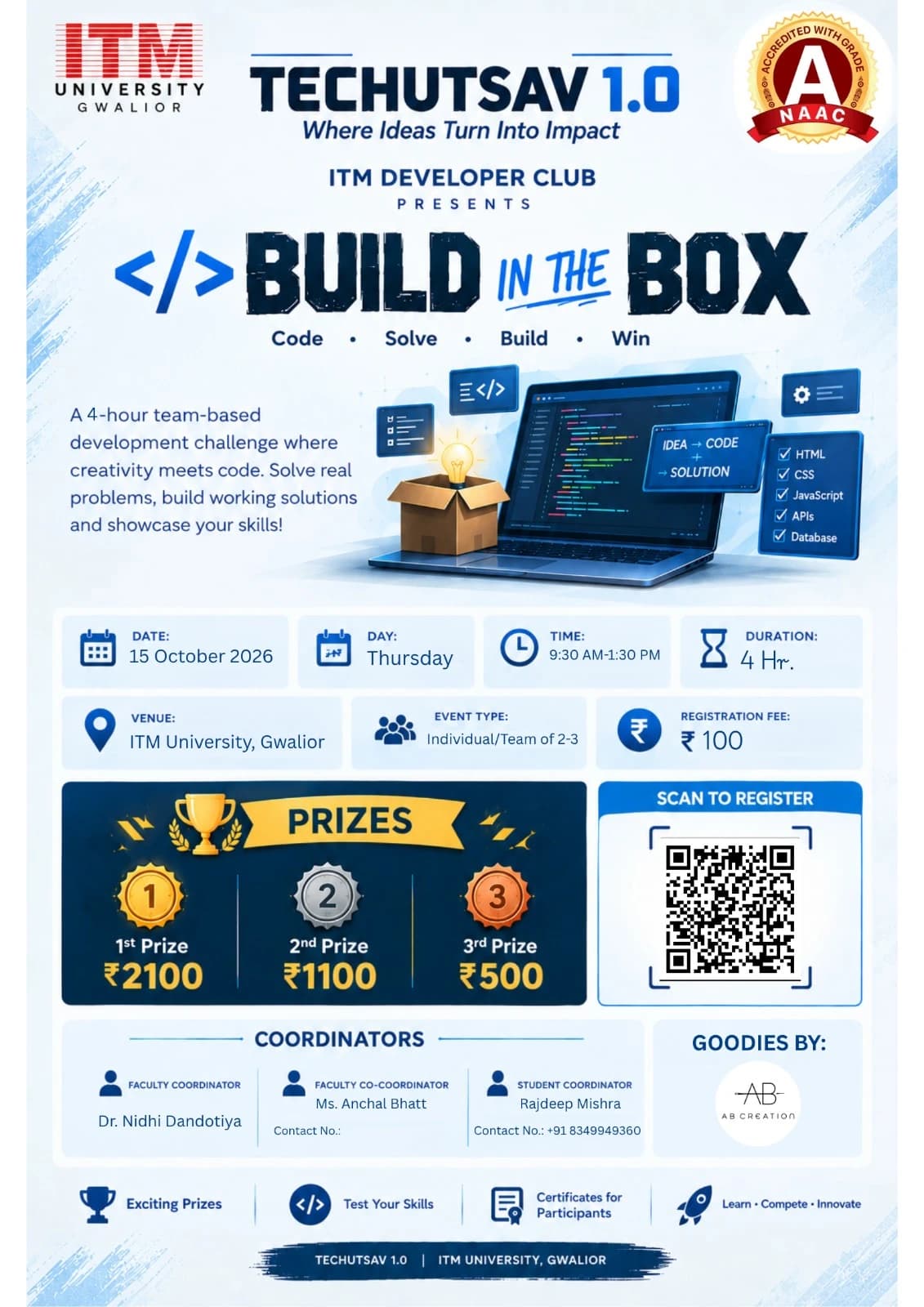
Official Build in the Box poster by ITM Developer Club: a laptop and an open box with a lightbulb, with date, time, prizes, registration QR and coordinators.
Date
Thursday, October 15, 2026
Time
9:30 AM – 1:30 PM
Venue
MGTF Lab-1 & Lab-2, ITM University, Gwalior
Participation
Team · 1–3 members
Registration fee
₹100
Faculty Coordinator
Dr. Nidhi Dandotiya
Faculty Co-Coordinator
Ms. Anchal Bhatt
Student Coordinator
Rajdeep MishraContact : +91 8349949360

Rules & Regulations

1. Event Overview

Build in the Box is a team-based development challenge where participants are given a problem, a fixed set of resources, requirements, and restrictions and must build a working solution within 3 hours.

The event is conducted as one continuous round. Participants will work in teams and will be given their challenge through an animated Mission Dashboard, which will act as their digital “Build Box.”

The event is designed to test development skills, problem-solving, teamwork, creativity, time management, and the ability to work within given constraints.

2. Team Formation

  • Each team can have a maximum of 3 members.
  • Teams may consist of 1, 2, or 3 participants.
  • Students from different academic years may form a team.
  • Mixed-year teams are allowed.
  • Team members cannot be replaced once the competition has started.
  • Each team will be assigned a team identification/name during registration.

3. Competition Format

The event will consist of one 3-hour development round.

Before the competition begins, teams will be provided access to the Build in the Box Mission Dashboard.

The dashboard will contain the information required for the challenge, but the actual mission will remain locked until the official start of the event.

The challenge may contain:

  • Problem statement
  • Required features
  • Technical requirements
  • Available resources
  • Restrictions
  • Submission requirements
  • Additional information required to complete the project

All teams will receive their challenge at the same time.

4. Mission Dashboard

The Build in the Box challenge will be presented through an animated webpage designed as a Mission Control Dashboard.

Before the start, the dashboard may display:

BUILD IN THE BOX
MISSION STATUS: LOCKED

At the official start of the event, the dashboard will display:

MISSION UNLOCKED
03:00:00

The 3-hour timer will then begin.

The dashboard may display:

  • Remaining time
  • Problem statement
  • Requirements
  • Available resources
  • Restrictions
  • Mission updates
  • Submission information
  • Important announcements

The organisers may also introduce surprise requirements or mission updates during the competition.

For example:

INCOMING MISSION UPDATE
NEW REQUIREMENT ADDED
Your application must now support mobile devices.

All teams will receive the same official updates.

5. Development Period

Teams will have exactly 3 hours to:

  1. Understand the problem.
  2. Plan their solution.
  3. Develop the project.
  4. Test the project.
  5. Prepare the documentation.
  6. Submit the final repository.

Teams are free to divide the work among their members.

For example, one member may handle the frontend, another may work on the backend or database, while the third handles integration, testing, and documentation.

Teams must manage their own time. The organisers will not provide additional development time after the deadline.

6. Basic and Advanced Levels

The event may provide Basic and Advanced versions of the challenge so that participants with different levels of experience can compete fairly.

Basic

The Basic challenge may involve:

  • HTML and CSS
  • JavaScript
  • Responsive webpages
  • Basic programming
  • Simple APIs
  • Basic application functionality

It is intended to be accessible to freshers and participants with limited development experience.

Advanced

The Advanced challenge may involve:

  • Frameworks such as React
  • APIs and integrations
  • Databases
  • Authentication
  • Advanced programming
  • More complex application logic

The Advanced challenge is intended for participants with greater development experience, including 3rd and 4th year students.

The exact difficulty and technologies permitted will be announced as part of the challenge.

7. Technology and Resource Rules

The technologies and resources allowed for the challenge will be clearly specified in the Mission Dashboard.

Depending on the challenge, these may include:

  • Programming languages
  • Frameworks
  • Libraries
  • APIs
  • Development tools
  • Internet access
  • AI tools

Participants may use only the resources permitted by the organisers.

If AI tools are allowed, participants must still understand the code they submit and may be asked to explain their implementation during evaluation.

Use of unauthorised resources, pre-built projects, or another team's code may result in penalties or disqualification.

8. GitHub Submission

Every team must submit its final project through a GitHub repository.

Each team must create one repository containing the complete project.

The repository must contain:

  • Complete source code
  • Required project files
  • Assets/resources used in the project
  • README.md

The README.md must include:

  • Team name
  • Team member names
  • Project name
  • Short description
  • Technologies used
  • Features implemented
  • Instructions to run the project
  • External APIs/libraries/resources used
  • Known limitations, if applicable

Example

build-in-box-team-name/
│
├── README.md
├── src/
├── assets/
├── package.json
└── ...

The GitHub repository link must be submitted through the official submission form before the 3 hour deadline.

9. Submission Deadline

At the end of the 3-hour period, the Mission Dashboard will display:

MISSION TIME EXPIRED
SUBMISSIONS LOCKED

Teams must submit their GitHub repository before the deadline.

Changes made after the official deadline will not be considered for evaluation.

Teams are responsible for ensuring that their repository is accessible to the judges. An inaccessible, incomplete, or missing repository may be treated as an incomplete submission.

10. Evaluation

Projects will be evaluated on the following criteria:

CriteriaWeightage
Functionality30%
Technical Implementation25%
Requirement Fulfilment20%
Creativity & Innovation15%
UI/UX & Presentation10%
Total100%

The exact evaluation criteria may be adjusted according to the nature of the challenge.

A project must first satisfy the core requirements before additional creativity or visual features can significantly improve its score.

TechUtsav 1.0 2026 · ITM University Gwalior

Register: https://parakh.itmuniversity.ac.in/pay/45f4d813-62af-4630-87af-990a2f7d6aa3

Source: Build in the Box RuleBook (IDC Club).

TechUtsav 1.0 2026 · Official Rulebook

CyberShield Club presents

CyberForge: Phish or Protect

A Cybersecurity Awareness & Threat Detection Challenge

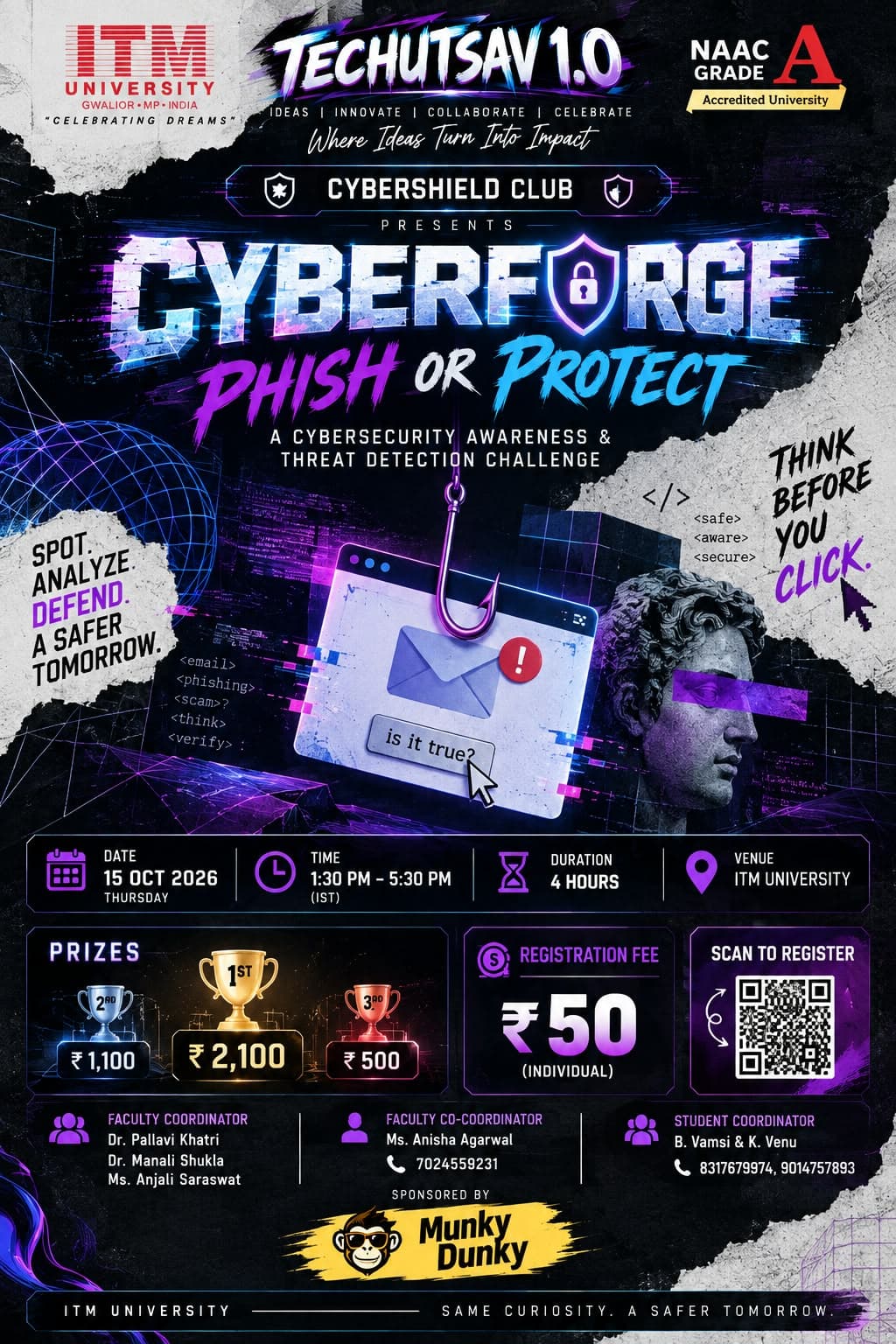
Official CyberForge: Phish or Protect poster by CyberShield Club: a phishing hook over an email window beside a classical bust, with date, prizes, coordinators and sponsor Munky Dunky.

“Attackers Think. Defenders Prove.”

Date
Thursday, October 15, 2026
Time
1:30 PM – 5:30 PM
Venue
MGFF Lab 1 & Lab 2, ITM University, Gwalior
Participation
Individual
Registration fee
₹50 per individual
Faculty Coordinator
Dr. Manali Shukla
Faculty Coordinator
Dr. Pallavi Khatri
Faculty Coordinator
Ms. Anjali Saraswat
Co-Coordinator
Ms. Anisha AgarwalContact : 7024559231
Student Coordinator
B. VamsiContact : 8317679974vamsiicloud@gmail.com
Student Coordinator
K. VenuContact : 9014757893venukarlapudi11@gmail.com

Rules & Regulations

Rules

There will be one round in the event.

Round 1 — Phish or Protect

  • Time limit: 60 minutes.
  • Phisher may scan only the authorized Target QR codes, select targets, and run a simulated phishing scenario (such as fake registration, certificate verification, or internship confirmation) only through the approved competition platform.
  • Defender must observe the approved environment and detect suspicious interactions.
  • All simulated forms must contain dummy fields only.
  • Defenders should follow the sequence: Detect, Identify, Warn, Prevent, and Report.
  • Defenders must explain why an interaction is suspicious. Simply saying “Don't click it” will not earn advice points.
  • An incident report must be submitted for every intervention.
  • Judges will evaluate performance and submissions. The judges’ decision will be final and binding.
  • Only dummy/simulation information may be used. No real credentials, passwords, OTPs, financial information, or private data may be requested or collected.
  • Each Phisher and Defender will participate individually without knowing the identity of the opposing participants during gameplay. Participants must not reveal or attempt to discover each other's identities while the game is in progress.

Registration Fee & Prizes

  • Registration fee: ₹50 per participant.
  • Registration is free for club members.

General Rules

  • Participants must report 15 minutes before the reporting time.
  • Use of mobile phones is allowed.
  • All participants must adhere to ITM University rules and follow the instructions of organizers, judges, and volunteers.
  • All phishing, social-engineering, and defensive activities must remain within the approved competition environment.
  • Participants must not share or use real passwords, OTPs, banking details, financial information, or other sensitive personal information.
  • Participants must not intentionally interfere with, manipulate, or assist another team's target or activity.
  • Any attempt to gain an unfair advantage, tamper with competition materials, or access unauthorized information may result in disqualification.
  • Participants must maintain professional and respectful conduct.
  • All submitted emails, reports, and analysis must be the participants' own work.
  • The organizers may stop any interaction that goes outside the approved simulation boundaries.
  • In case of a tie, tie-breaker, e.g., faster correct detection will decide the winner.
  • Decision of the judges will be final and binding.

Awards

  • Best Social Engineering Strategy (Phisher Challenge)
  • Best Human Firewall Team (Defender Challenge)
  • First Prize: ₹2,100
  • Second Prize: ₹1,100
  • Third Prize: ₹500

TechUtsav 1.0 2026 · ITM University Gwalior

Register: https://parakh.itmuniversity.ac.in/pay/45f4d813-62af-4630-87af-990a2f7d6aa3

Source: CyberForge Rule Book, 15 Oct 2026 (CyberShield Club).

TechUtsav 1.0 2026 · Official Rulebook

AI Club with MLH presents

Open Source Hack Day · Hacktoberfest

Build. Contribute. Collaborate.

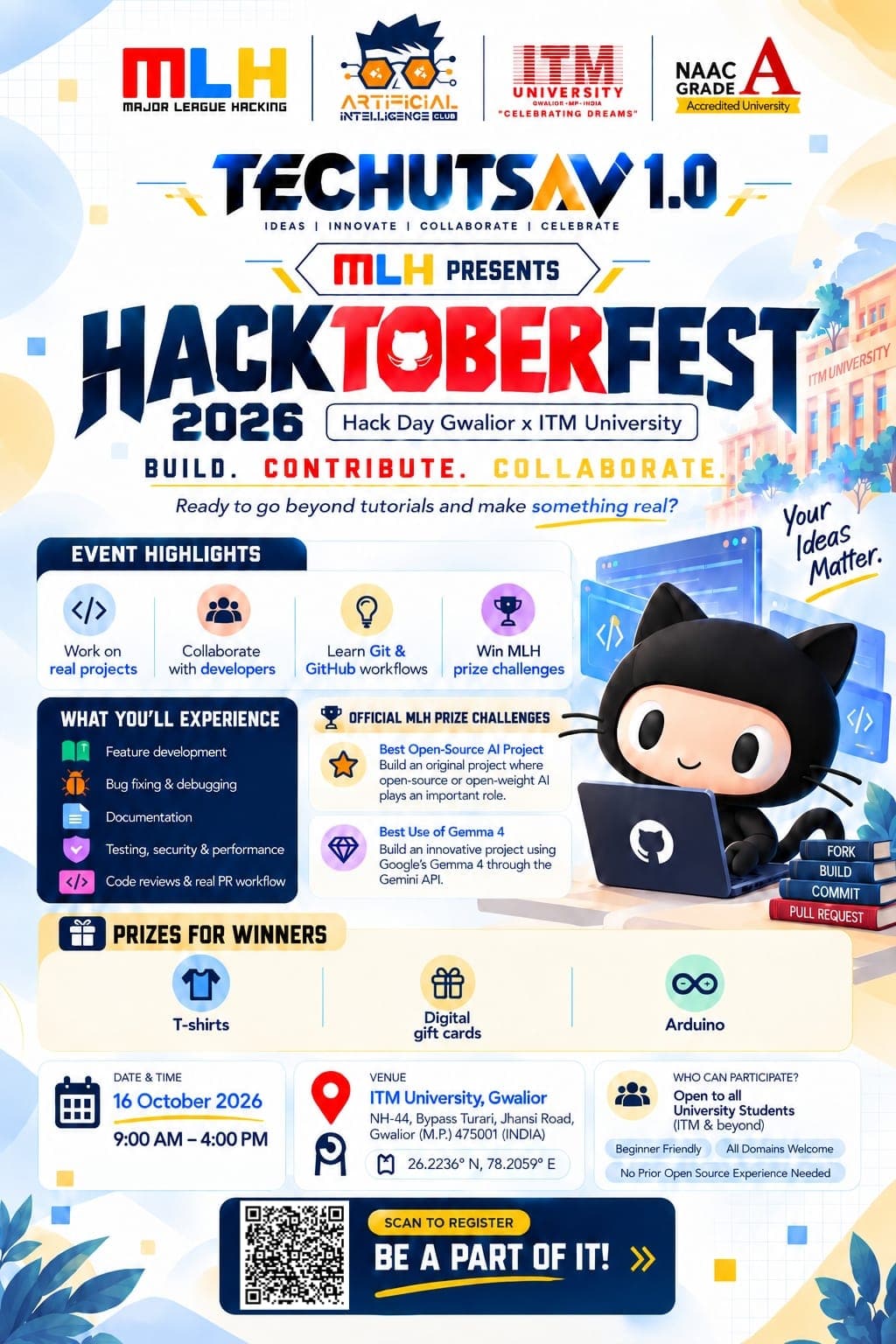
Official Hacktoberfest 2026 Hack Day Gwalior × ITM University poster with MLH, AI Club and ITM University logos, event highlights and MLH prize challenges.
Date
Friday, October 16, 2026
Time
9:00 AM – 4:00 PM
Venue
MG-505, MG Block, ITM University, Gwalior
Participation
Teams · Open to all university students
Registration fee
Free
Faculty Coordinator
Dr. Anjali KedawatContact : +91 9079704395
Co-Coordinator
Ms. Gauri SharmaContact : +91 7879863767
Student Coordinator
Shivendra Singh ChauhanContact : +91 7415634935

Rules & Regulations

Event Format

This event is an in-person Hacktoberfest Hack Day. Participants will work in teams to build an original project using open-source or open-weight AI technology and submit their work through MLH OrganizerHQ Challenges.

Challenge 1 — Best Open-Source AI Project

  • Every team must build an original project in which open-source or open-weight AI is an important part of how the project works.
  • The project must be published in a public GitHub repository.
  • The repository must clearly state an open-source license such as MIT, Apache-2.0, GPL-3.0, or another OSI-approved license.
  • Teams must submit their project through OrganizerHQ Challenges before the announced submission deadline.
  • Teams should clearly explain the AI technology, model, dependencies, and contribution in their README and demonstration.
  • One winning team will be selected for this challenge.
  • Every member of the winning team receives a DEV Badge; additional MLH+DEV prize swag may be provided depending on availability and event onboarding.

Challenge 2 — Best Use of Gemma 4

  • This is the assigned Hack Days partner prize category for ITM Open Source Hack Day 2026.
  • The project must make meaningful use of Gemma 4 through the Gemini API.
  • Teams should identify the Gemma model used in their README and demonstrate the integration in their code or live demonstration.
  • Gemma should contribute meaningfully to the project's experience or functionality, rather than being included only as a superficial feature.
  • The project must be submitted through OrganizerHQ and must satisfy the partner challenge requirements.
  • The winning team will receive the prize specified in the event's official MLH onboarding materials. Prize availability may vary by region.

Project Development Rules

  • Project-specific work should begin at the time announced by the organizers, following the MLH Standard Hackathon Rules unless the organizers clearly announce a different approach before project work begins.
  • Participants may use open-source libraries, APIs, datasets, frameworks, and other permitted development tools.
  • Teams are responsible for complying with the licenses and terms of all third-party software, models, APIs, and datasets they use.
  • Teams must clearly identify major technologies and AI models used in their project.
  • AI coding assistants and other development tools may be used, provided the resulting work is understood and responsibly submitted by the team.

Submission Rules

  • Every project being considered for a prize must be submitted through OrganizerHQ Challenges.
  • One team member should submit the project on behalf of the team.
  • Submissions must include the project link, project name, description, technologies used, and any available demo URL.
  • Teams must select every challenge for which their project is eligible, including Best Open-Source AI Project and Best Use of Gemma 4 where applicable.
  • Late submissions will not be considered unless the organizers officially extend the submission deadline for all teams.

Judging Criteria

  • Technical Implementation: quality, functionality, and technical depth of the project.
  • Use of AI: meaningful and effective use of open-source/open-weight AI and, for the Gemma category, meaningful use of Gemma 4.
  • Originality: creativity, innovation, and thoughtfulness of the solution.
  • Open Source: public repository, clear licensing, reproducibility, and quality of documentation.
  • Demo & Explanation: clarity of the demonstration and the team's ability to explain what they built and how it works.
  • Impact & Usefulness: how effectively the project addresses a real problem or creates a useful experience.

General Rules

  • Participants must register and check in physically at the venue through OrganizerHQ.
  • The event is free to attend and is conducted entirely in person.
  • Participants must follow the MLH Code of Conduct and all reasonable instructions from event organizers and venue staff.
  • Plagiarism, misrepresentation of another person's work, manipulation of submissions, malicious activity, or other unfair means may result in disqualification.
  • Teams must respect software, model, dataset, API, and content licenses and terms of use.

TechUtsav 1.0 2026 · ITM University Gwalior

Register: https://events.mlh.com/events/15429-hacktoberfest-hack-day-gwalior-x-itm-university

Source: Event Rules & Regulations — ITM Open Source Hack Day 2026 (AI Club, ITM University).

TechUtsav 1.0 2026 · Official Rulebook

IDC Club presents

404: Escape the Room

IDC | TechFest Developer Event

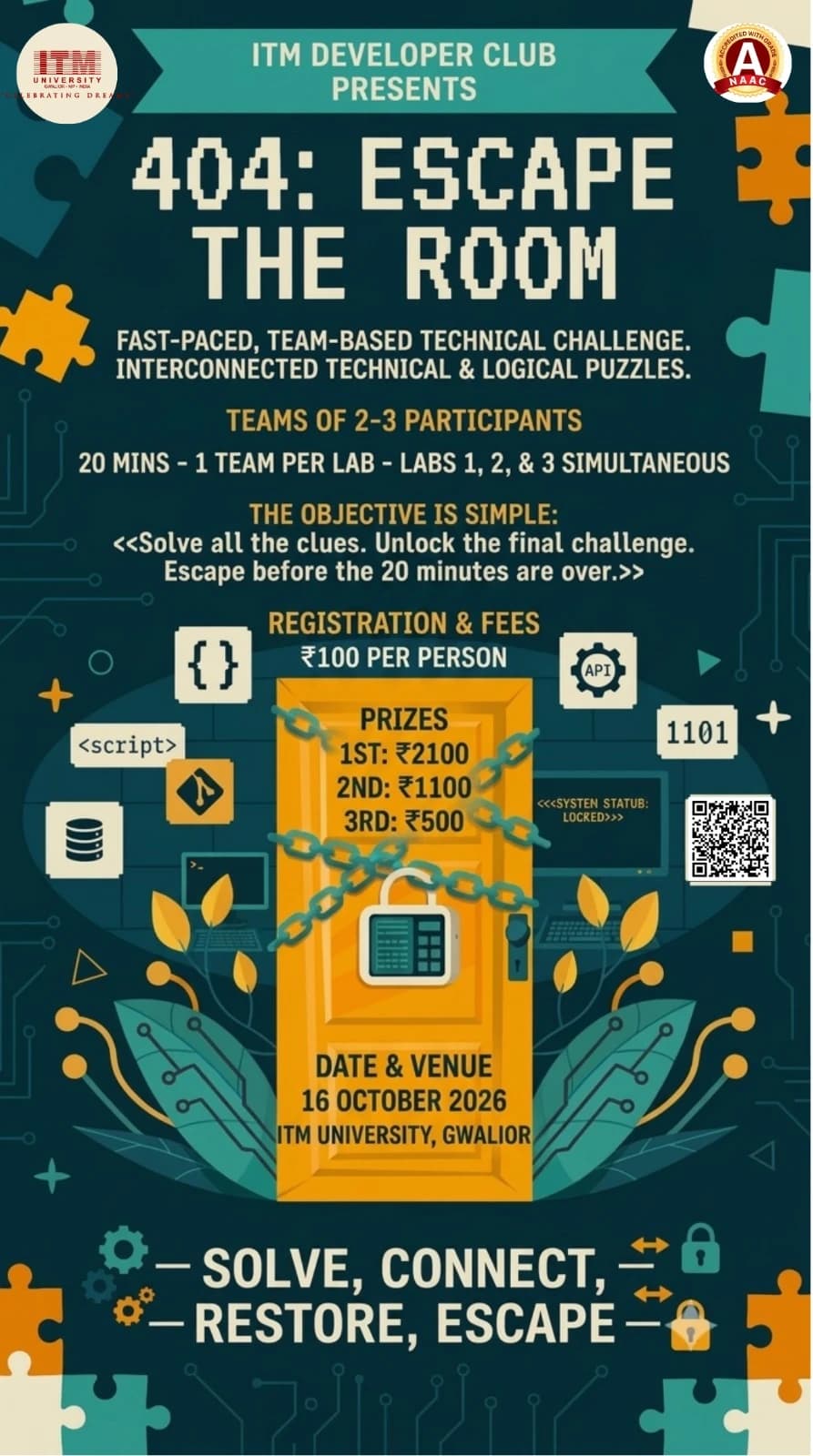
Official 404: Escape the Room poster by ITM Developer Club: a chained and padlocked orange door surrounded by puzzle pieces, with team size, fees, prizes and date.

3 Labs. 3 Teams at a time. 20 Minutes. 1 Winner.

Date
Friday, October 16, 2026
Time
10:00 AM – 12:00 PM
Venue
MGFF Lab 1 & Lab 2, ITM University, Gwalior
Participation
Team · 2–3 members
Registration fee
₹100 per person

Rules & Regulations

1. Event Overview

404: Escape the Room is a fast-paced, team-based technical escape-room challenge. Teams will enter one of three designated labs, where they will have 20 minutes to solve a series of interconnected technical and logical challenges.

Each lab will function as a complete, self-contained escape room. All clues, puzzles, computers, and required resources for a team's challenge will be contained within its assigned lab.

Three teams can participate simultaneously, with one team assigned to each lab.

The objective is simple:

Solve all the clues. Unlock the final challenge. Escape before the 20 minutes are over.

The team with the lowest successful completion time, after any applicable penalties, will be declared the winner.

2. Team Formation

  • Each team will consist of 2–3 participants.
  • Teams of fewer than 2 participants will not be permitted.
  • Participants from different academic years may form a team.
  • Mixed-year teams are allowed.
  • Each team will receive a unique Team ID.
  • Team members must remain together inside their assigned lab.
  • Team members cannot be replaced once their attempt begins.

3. Lab Structure

The event will use three labs:

  • Lab 1
  • Lab 2
  • Lab 3

Each lab will contain a complete set of challenges.

Only one team will be present in each lab during a particular 20-minute slot.

Therefore, up to three teams can participate simultaneously.

Example

SlotLab 1Lab 2Lab 3
Slot 1Team 1Team 2Team 3
Slot 2Team 4Team 5Team 6
Slot 3Team 7Team 8Team 9

Teams will be assigned a lab and slot by the organisers.

4. Self-Contained Challenges

Every lab will contain its own complete set of clues.

A team will not need to leave its assigned lab at any point during the challenge.

For example, a team may start with:

Clue 1
↓
Web Puzzle
↓
Hidden Code
↓
Programming Puzzle
↓
Physical Clue
↓
Final Lock

All of these will be located inside the same lab.

The three labs may have different puzzles and different clue arrangements, but they will be designed to have a comparable overall difficulty.

5. Challenge Design

The event will combine technical and non-technical puzzle elements.

Challenges may include:

  • HTML inspection
  • JavaScript
  • Programming logic
  • SQL
  • Git
  • APIs
  • Binary/hexadecimal decoding
  • QR codes
  • Pattern recognition
  • Computer fundamentals
  • Debugging
  • Hidden messages
  • Physical clues
  • Logical puzzles

Not every challenge will require programming.

The intention is to allow every team member to contribute.

For example, one participant may notice a hidden clue, another may solve a programming problem, while another works on decoding information.

6. Challenge Flow

The puzzles will be connected rather than being a list of independent questions.

Solving one challenge should provide information required to reach the next stage.

For example:

A webpage contains hidden HTML information.

The team discovers:

"ACCESS CODE: 7391"

Entering "7391" into another terminal unlocks the next clue.

The next clue may contain a JavaScript problem.

Its output may reveal:

"LOOK UNDER TERMINAL 02"

The team then finds the next physical clue.

This continues until the team reaches the final challenge.

7. Difficulty and Participants

The event is intended to be accessible to students from different years.

The challenges can contain a mixture of:

Basic

  • Simple decoding
  • HTML inspection
  • Basic programming logic
  • Pattern recognition
  • Computer fundamentals

Intermediate

  • JavaScript
  • SQL
  • Debugging
  • Git
  • API-related puzzles

Advanced

  • Multi-step technical reasoning
  • Complex debugging
  • Database relationships
  • Combining information from multiple clues
  • More complicated programming logic

The event does not require separate categories for different academic years.

A team can use the different strengths of its members to solve the complete challenge.

8. Starting the Attempt

Before entering the lab, the team will receive a short briefing covering:

  • Rules
  • Safety instructions
  • Time limit
  • Hint system
  • Allowed resources

The team will then enter its assigned lab.

The lab may initially display a system such as:

404: ESCAPE THE ROOM
SYSTEM STATUS: LOCKED
USER ACCESS: DENIED

Once the organisers give the start signal, the system changes to:

ESCAPE PROTOCOL ACTIVATED
TIME REMAINING: 20:00

The timer begins.

9. Time Limit

Each team receives exactly:

20 MINUTES

The timer begins when the official start signal is given.

The timer continues regardless of whether the team is:

  • Solving a puzzle
  • Searching for a clue
  • Debugging
  • Moving around the lab
  • Waiting for a team member
  • Using a hint

There will be no additional time for ordinary delays.

10. Final Escape

The final challenge will require the team to use the information gathered during the earlier stages.

Once the team reaches the correct final answer, the organiser will verify the solution and stop the timer.

The system may display:

SYSTEM ACCESS RESTORED
ESCAPE SUCCESSFUL
TIME RECORDED: 14:37

The team's completion time will then be recorded.

11. Time Expiry

When the 20-minute timer reaches zero:

00:00
ESCAPE PROTOCOL TERMINATED
SYSTEM REMAINS LOCKED

The attempt ends immediately.

A team that has not completed the final challenge within 20 minutes will be marked as TIME EXPIRED.

12. Hints

Teams may request hints if they are unable to progress.

Hints will carry a time penalty.

Recommended system:

  • First hint: +1 minute
  • Second hint: +2 minutes
  • Third hint: +3 minutes

The exact penalty will be announced before the event.

The hint penalty will be added to the team's final completion time.

Example

Team completes the challenge inThey used two hintsFinal time
15:20+3:00 penalty18:20

Teams therefore have to decide whether solving a puzzle themselves is worth the additional time.

13. Ranking

Teams that successfully escape will be ranked according to their final adjusted completion time.

Final Time

Actual completion time + applicable penalties

For example:

TeamCompletionPenaltyFinal Time
Team A14:32+2:0016:32
Team B15:10+0:0015:10
Team C13:45+3:0016:45

Therefore, Team B ranks first.

The team with the lowest final time wins.

14. Tie-Breaker

If two teams have exactly the same final time, the organisers may use a short tie-breaker challenge.

The tie-breaker may involve:

  • A programming problem
  • A logical puzzle
  • A debugging challenge
  • A technical question

The organisers' decision regarding the tie-breaker will be final.

15. Allowed Resources

The organisers will clearly announce which resources are permitted before the event.

Depending on the challenge, participants may be allowed to use:

  • Computers provided in the lab
  • Internet access
  • Mobile phones
  • Programming environments
  • Search engines
  • Specific websites or tools

The use of AI tools, external assistance, or other resources will be governed by the rules announced for the event.

Participants may not contact people outside the event for assistance.

If a resource is not explicitly permitted, participants should consider it not allowed.

16. Mobile Phones

Mobile phones may be permitted for specific purposes such as:

  • Scanning QR codes
  • Accessing clues
  • Viewing web-based challenges
  • Using event-provided resources

They must not be used to:

  • Contact people outside the team for solutions
  • Search for leaked solutions
  • Communicate with other participating teams
  • Record or distribute challenge material

The organisers may require phones to be kept aside if a particular challenge does not permit their use.

17. Team Collaboration

Team members may freely discuss and solve the challenges together.

However:

  • Teams may not communicate with other teams during their attempts.
  • Teams may not share answers or clues.
  • Teams may not receive assistance from teams that have already completed the challenge.
  • Teams may not communicate challenge information to teams waiting for their turn.

Since different teams may be placed in different labs at the same time, participants must not intentionally reveal information about their lab's challenges.

18. Handling Clues and Equipment

Participants must not:

  • Destroy clues.
  • Hide clues from other teams.
  • Remove clues from their designated locations unless instructed.
  • Tamper with computers or network equipment.
  • Open restricted equipment.
  • Access files or systems unrelated to the challenge.
  • Modify the physical setup of the lab unnecessarily.

If a clue is designed to be moved, the instructions will make this clear.

19. Safety

Participant safety takes priority over competition.

Participants must:

  • Walk inside the laboratory.
  • Avoid climbing on furniture.
  • Avoid touching electrical equipment.
  • Keep emergency exits clear.
  • Follow organiser instructions.
  • Report damaged equipment immediately.

No challenge will require participants to perform an unsafe action.

20. Disqualification

A team may be disqualified for:

  • Cheating.
  • Receiving outside assistance.
  • Sharing answers with another team.
  • Deliberately interfering with another team.
  • Accessing restricted areas or systems.
  • Damaging or deliberately tampering with equipment.
  • Destroying or intentionally altering clues.
  • Using unauthorised resources.
  • Attempting to bypass the intended challenge through unauthorised methods.
  • Any behaviour that compromises event safety or fairness.

The organisers' decision regarding disqualification will be final.

21. Technical Problems

If a technical problem occurs that is caused by the event setup, such as:

  • Computer failure
  • Network failure
  • Broken webpage
  • Malfunctioning clue
  • Incorrect challenge configuration

the team should immediately notify the organiser.

The organiser may:

  • Pause the timer.
  • Repair or replace the affected component.
  • Restore the team's progress.
  • Provide an equivalent replacement challenge.

Technical problems caused by the event organisers will not unfairly count against the team.

22. Lab Reset

Because three teams can participate simultaneously, each lab will be reset after every 20-minute attempt.

The reset will include:

  • Replacing physical clues.
  • Resetting computers.
  • Resetting digital puzzles.
  • Clearing previous answers.
  • Restoring locks or mechanisms.
  • Checking all challenge components.

Teams must not remain inside the lab after their attempt has ended.

They must not communicate the solutions to teams waiting for later slots.

23. Event Slot Structure

The event will operate in 20-minute slots.

Each slot can accommodate three teams.

Example

SlotLab 1Lab 2Lab 3
Slot 1 — 10:00–10:20Team 1Team 2Team 3
Slot 2 — 10:25–10:45Team 4Team 5Team 6

A short gap may be maintained between slots to allow organisers to reset the labs and prepare the next teams.

The exact schedule will be provided by the organisers.

24. Lab Balance

Since the three labs may contain different puzzles, all three challenge sets will be designed to have comparable difficulty and expected completion time.

The organisers will test the challenges before the event to identify major differences in difficulty.

If a technical issue or major imbalance affects a particular lab, the organisers may make appropriate adjustments to ensure fair competition.

25. Winning Condition

The winning team is the team that:

  1. Completes all required challenges.
  2. Successfully reaches the final solution.
  3. Does so within the 20-minute limit.
  4. Has the lowest final adjusted time.

The event therefore rewards:

Speed + Logic + Technical Knowledge + Observation + Teamwork

rather than simply coding ability.

26. Event Presentation

The event should feel like a live technical emergency rather than a collection of classroom puzzles.

Each lab can have a simple mission-control theme.

Before the attempt:

SYSTEM STATUS: LOCKED
ACCESS: DENIED
ESCAPE PROTOCOL: OFFLINE

At the start:

⚠ SYSTEM BREACH DETECTED
ESCAPE PROTOCOL ACTIVATED
20:00

During the challenge, screens can display:

15:42 REMAINING

or:

NEW DATA DETECTED

or:

ACCESS LEVEL 02 UNLOCKED

At the end:

Successful team

SYSTEM RESTORED
ESCAPE SUCCESSFUL
TIME: 14:27

Time expired

TIME EXPIRED
SYSTEM REMAINS LOCKED

This gives all three labs the same overall identity while allowing each one to have completely different puzzles.

27. Core Event Concept

You have 20 minutes. The system is locked. The clues are hidden around the lab. Find them. Connect them. Solve them. Restore the system before time runs out.

3 Labs. 3 Teams at a time. 20 Minutes. 1 Winner.

TechUtsav 1.0 2026 · ITM University Gwalior

Register: https://parakh.itmuniversity.ac.in/pay/45f4d813-62af-4630-87af-990a2f7d6aa3

Source: 404: Escape the Room Rulebook (IDC Club).

Want it offline?One PDF with the cover, contents and all seven rulebooks.

Download complete PDF — All events rulebook