
TechUtsav 1.0 2026 · Official Rulebook
IDC Club presents
Build in the Box
IDC | TechFest Developer Event
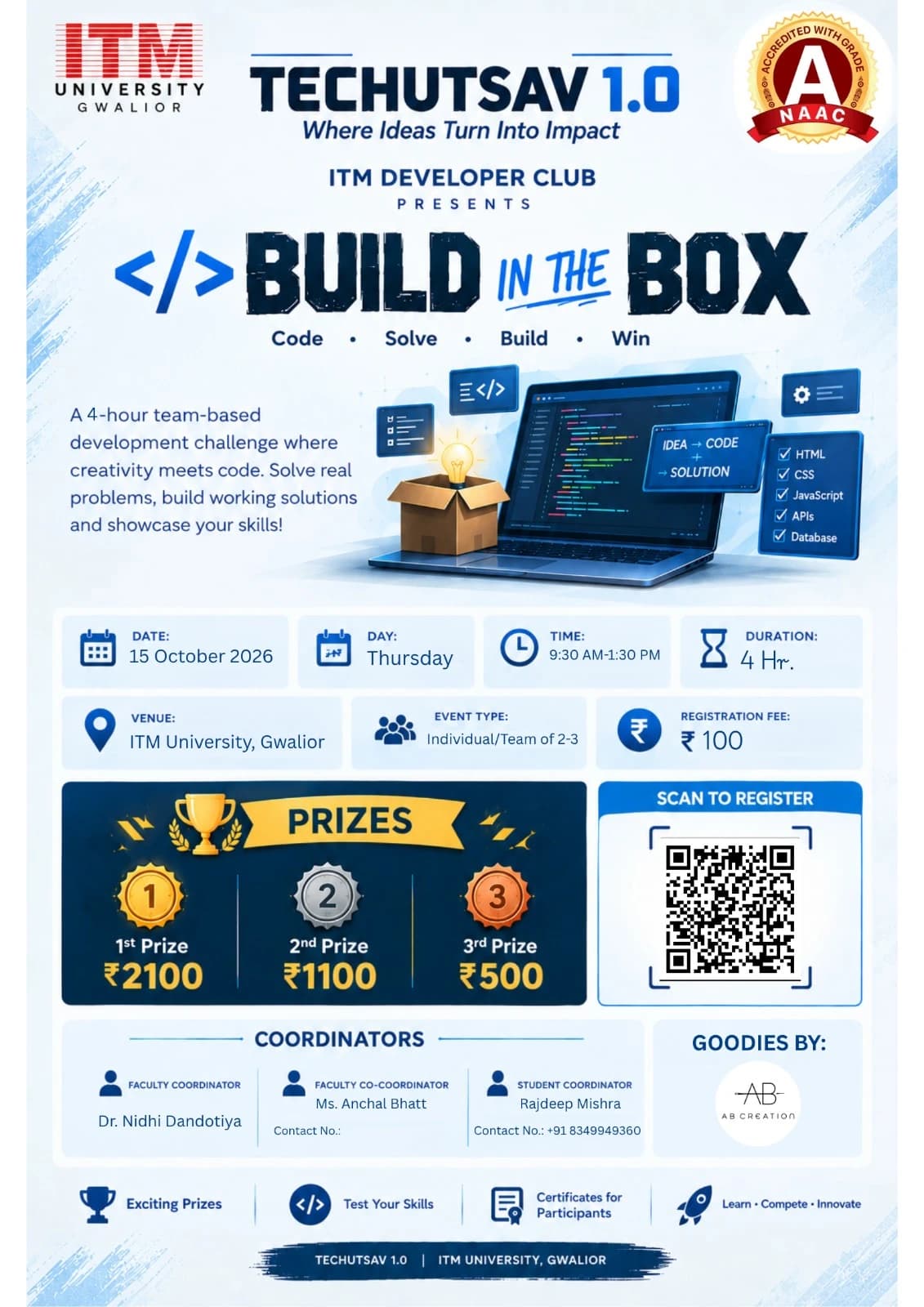
- Date
- Thursday, October 15, 2026
- Time
- 9:30 AM – 1:30 PM
- Venue
- MGTF Lab-1 & Lab-2, ITM University, Gwalior
- Participation
- Team · 1–3 members
- Registration fee
- ₹100
- Faculty Coordinator
- Dr. Nidhi Dandotiya
- Faculty Co-Coordinator
- Ms. Anchal Bhatt
- Student Coordinator
- Rajdeep MishraContact : +91 8349949360
Rules & Regulations
1. Event Overview
Build in the Box is a team-based development challenge where participants are given a problem, a fixed set of resources, requirements, and restrictions and must build a working solution within 3 hours.
The event is conducted as one continuous round. Participants will work in teams and will be given their challenge through an animated Mission Dashboard, which will act as their digital “Build Box.”
The event is designed to test development skills, problem-solving, teamwork, creativity, time management, and the ability to work within given constraints.
2. Team Formation
- Each team can have a maximum of 3 members.
- Teams may consist of 1, 2, or 3 participants.
- Students from different academic years may form a team.
- Mixed-year teams are allowed.
- Team members cannot be replaced once the competition has started.
- Each team will be assigned a team identification/name during registration.
3. Competition Format
The event will consist of one 3-hour development round.
Before the competition begins, teams will be provided access to the Build in the Box Mission Dashboard.
The dashboard will contain the information required for the challenge, but the actual mission will remain locked until the official start of the event.
The challenge may contain:
- Problem statement
- Required features
- Technical requirements
- Available resources
- Restrictions
- Submission requirements
- Additional information required to complete the project
All teams will receive their challenge at the same time.
4. Mission Dashboard
The Build in the Box challenge will be presented through an animated webpage designed as a Mission Control Dashboard.
Before the start, the dashboard may display:
BUILD IN THE BOX
MISSION STATUS: LOCKED
At the official start of the event, the dashboard will display:
MISSION UNLOCKED
03:00:00
The 3-hour timer will then begin.
The dashboard may display:
- Remaining time
- Problem statement
- Requirements
- Available resources
- Restrictions
- Mission updates
- Submission information
- Important announcements
The organisers may also introduce surprise requirements or mission updates during the competition.
For example:
INCOMING MISSION UPDATE
NEW REQUIREMENT ADDED
Your application must now support mobile devices.
All teams will receive the same official updates.
5. Development Period
Teams will have exactly 3 hours to:
- Understand the problem.
- Plan their solution.
- Develop the project.
- Test the project.
- Prepare the documentation.
- Submit the final repository.
Teams are free to divide the work among their members.
For example, one member may handle the frontend, another may work on the backend or database, while the third handles integration, testing, and documentation.
Teams must manage their own time. The organisers will not provide additional development time after the deadline.
6. Basic and Advanced Levels
The event may provide Basic and Advanced versions of the challenge so that participants with different levels of experience can compete fairly.
Basic
The Basic challenge may involve:
- HTML and CSS
- JavaScript
- Responsive webpages
- Basic programming
- Simple APIs
- Basic application functionality
It is intended to be accessible to freshers and participants with limited development experience.
Advanced
The Advanced challenge may involve:
- Frameworks such as React
- APIs and integrations
- Databases
- Authentication
- Advanced programming
- More complex application logic
The Advanced challenge is intended for participants with greater development experience, including 3rd and 4th year students.
The exact difficulty and technologies permitted will be announced as part of the challenge.
7. Technology and Resource Rules
The technologies and resources allowed for the challenge will be clearly specified in the Mission Dashboard.
Depending on the challenge, these may include:
- Programming languages
- Frameworks
- Libraries
- APIs
- Development tools
- Internet access
- AI tools
Participants may use only the resources permitted by the organisers.
If AI tools are allowed, participants must still understand the code they submit and may be asked to explain their implementation during evaluation.
Use of unauthorised resources, pre-built projects, or another team's code may result in penalties or disqualification.
8. GitHub Submission
Every team must submit its final project through a GitHub repository.
Each team must create one repository containing the complete project.
The repository must contain:
- Complete source code
- Required project files
- Assets/resources used in the project
- README.md
The README.md must include:
- Team name
- Team member names
- Project name
- Short description
- Technologies used
- Features implemented
- Instructions to run the project
- External APIs/libraries/resources used
- Known limitations, if applicable
Example
build-in-box-team-name/
│
├── README.md
├── src/
├── assets/
├── package.json
└── ...
The GitHub repository link must be submitted through the official submission form before the 3 hour deadline.
9. Submission Deadline
At the end of the 3-hour period, the Mission Dashboard will display:
MISSION TIME EXPIRED
SUBMISSIONS LOCKED
Teams must submit their GitHub repository before the deadline.
Changes made after the official deadline will not be considered for evaluation.
Teams are responsible for ensuring that their repository is accessible to the judges. An inaccessible, incomplete, or missing repository may be treated as an incomplete submission.
10. Evaluation
Projects will be evaluated on the following criteria:
| Criteria | Weightage |
|---|---|
| Functionality | 30% |
| Technical Implementation | 25% |
| Requirement Fulfilment | 20% |
| Creativity & Innovation | 15% |
| UI/UX & Presentation | 10% |
| Total | 100% |
The exact evaluation criteria may be adjusted according to the nature of the challenge.
A project must first satisfy the core requirements before additional creativity or visual features can significantly improve its score.